White Papers & Articles
Related white papers and articles for System Integration will appear here as they're published.
View MoreSystem Integration
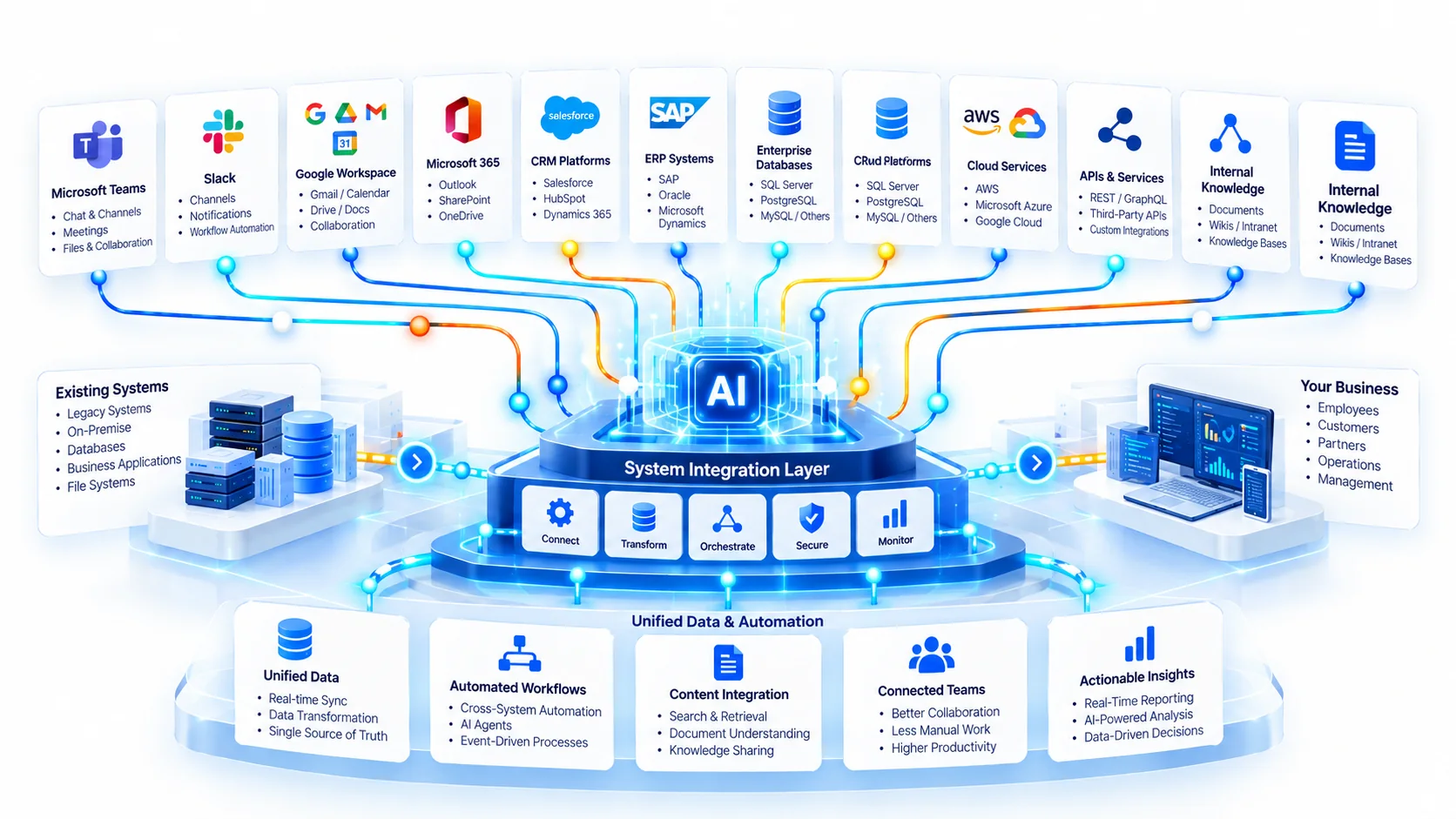
Microsoft Teams and Microsoft 365, Slack and Google Workspace, your CRM and ERP, your databases, cloud services and internal knowledge bases. AI connected to what your team already runs, and built to see what the person asking is allowed to see - nothing more.
The harder half
An assistant in the chat window your team already has open gets used; one behind a new login mostly does not. That much is well understood. What goes wrong is quieter: a knowledge base is embedded as one index, the permissions on the documents do not come with it, and the assistant will now summarise the HR folder for anyone who asks politely. Nothing was breached and nothing is logged as an error - it is working exactly as it was built.
The assistant answers with what the person asking could already open themselves. When someone loses access to a folder, the assistant loses it for them too, without anybody having to remember to change it.
Every document the company owns, embedded once and searchable by anyone who can type a question. It demos beautifully, and it is the fastest way to turn a helpful tool into a disclosure.
Capability
Six areas, taken from what you already run rather than what we would prefer you ran. Not every engagement needs all of them.
An assistant in the chat and the documents your organisation already lives in, signed in with the identity people already have. No second account to create, and no second place to go looking for an answer.
The same, for teams that run on the other stack - or on both at once, which is more common than anyone plans for. It answers in the channel where the question was asked, rather than asking people to come somewhere else.
Customers, orders, stock, invoices: the systems that actually know what is going on. Reading from them is the straightforward part. Deciding which of their fields an assistant should ever repeat back to someone is the work.
Direct connections where a system has no better door. Read-only unless there is a reason otherwise, and scoped to the tables and endpoints the job needs rather than the whole schema.
The services your data already sits in, connected with credentials that belong to you, can be rotated by you, and can be revoked by you without a call to us.
Your documents made answerable, with the permissions they already carry kept attached - and every answer pointing at the document it came from, so a person can check it rather than simply trust it.
How we work
Every system the assistant might touch, who owns it, and who is allowed to see what inside it. It is often the first time that list has been written down in one place.
One tool, one team, one kind of question. An assistant that arrives everywhere at once gets judged on its worst answer in its least prepared channel.
Each connection scoped to what the job needs, answering as the person asking wherever the system allows it, and tested with accounts that should be refused. A permission nobody has tested is a permission nobody has.
Three stages in, it answers where your team already works. The last two keep it answering correctly after the other side changes.
Integrations fail quietly. A credential expires, a field is renamed in a vendor release, a permission is revoked - and the assistant keeps answering from whatever it can still reach. Each connection is watched for exactly that, so the gap is found by monitoring rather than by a customer.
Credentials in your vault, connectors in your repository, and a written map of what connects to what. The day you want to change a system, you can see everything that depends on it without asking us.
Straight answer
Several of the tools on this page now ship with an assistant of their own. If the questions your team asks live inside one of them, the honest advice is to switch on what you already pay for and keep your budget for the connection it cannot make. We would rather say that in the first conversation than let you discover it later. A built integration earns its keep where the answer lives across more than one system - the CRM and the ERP and the shared drive, not just one of them.
Before you ask
The kinds this page describes: Microsoft Teams and Microsoft 365, Slack, Google Workspace, CRM and ERP platforms, enterprise databases, cloud services, APIs and internal knowledge bases. The products drawn in the illustration at the top of the page are examples of each kind, not a list of integrations we have built or partnerships we hold. Beyond that the question is whether the system has a documented way in. If it does, we can look at it. If it does not, we will say what it would take - and sometimes the honest answer is that it is not worth it.
Not if the permissions come with the data, which is the part we spend the most time on. Where a system can tell us who is asking, the assistant answers as that person. Where it cannot, the connection is narrowed until everything it can reach is safe for everyone who can ask - and we tell you which of those two cases each connection is.
Eventually, something breaks: every integration is an agreement with a system somebody else controls. What decides the cost is whether you find out from monitoring or from a user. Each connection is watched for the failures that do not raise an error, and the map your team keeps says what depends on it.
It can, and at that point it is worth treating as an agent rather than an integration. A read gives someone an answer they can check; a write changes a record other people will rely on. That calls for a permission map and a review step, which is the ground AI Agent Development covers.
No, and that is rather the point. The work starts from what you run today. If a system is genuinely standing in the way we will say so, but replacing it is a separate decision with its own budget - not something that should arrive folded inside an integration.
Next
Send us the systems your team works in and the questions they keep having to leave them to answer. We will come back with where an assistant should live first, what it should be able to see, and which connection is worth making before any of the others.
Related white papers and articles for System Integration will appear here as they're published.
View MoreGet in touch and we'll help you find the right approach.
Talk to Us