Operations

Intelligent
Warehousing Solutions

Next-Gen Warehouse Automation

Helping warehouses, fulfillment centers, and distribution facilities improve inventory accuracy, optimize storage and flow, increase throughput, and streamline warehouse operations through AI, automation, and intelligent systems.

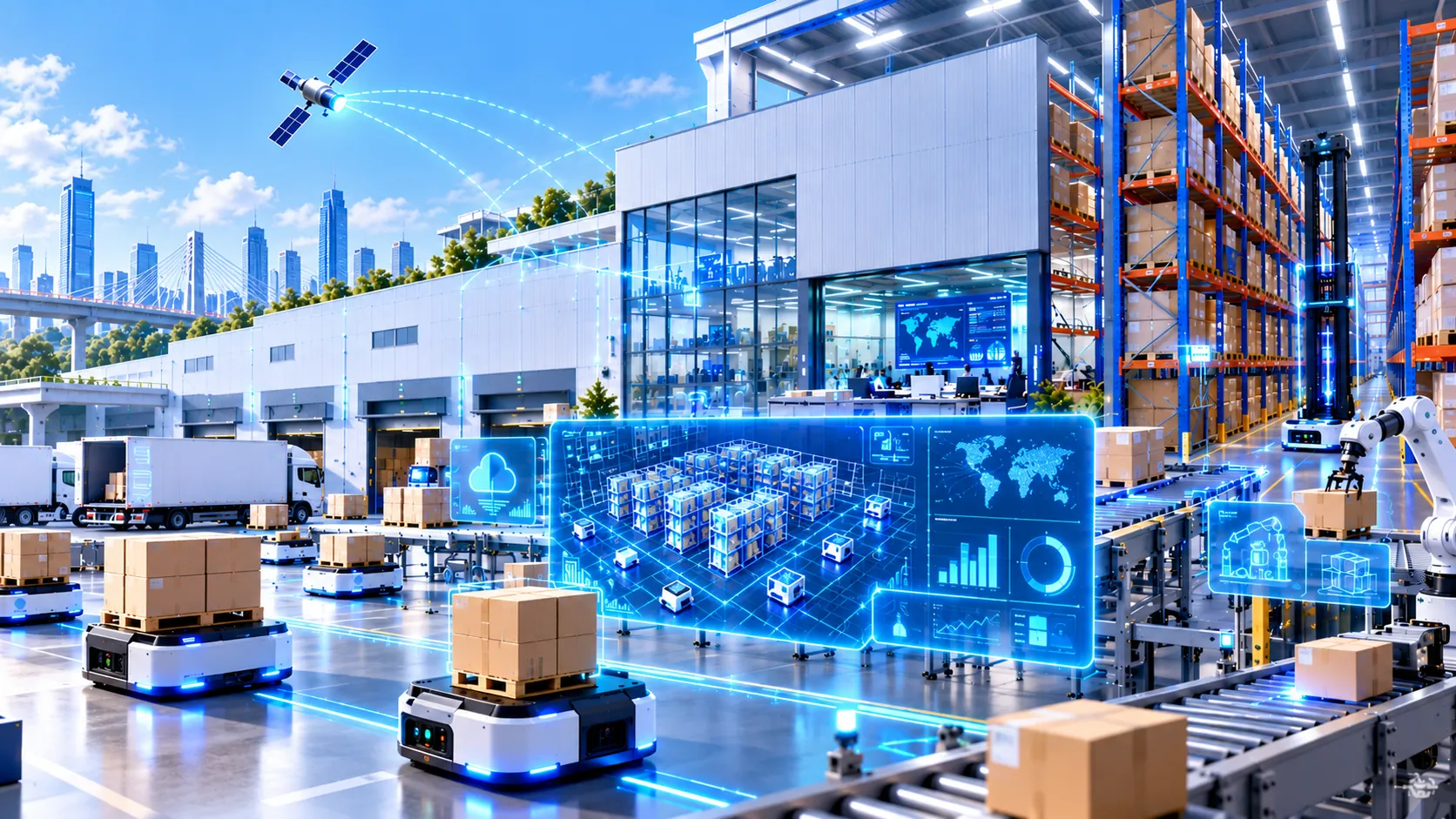
Illustration of an automated warehouse: autonomous mobile robots carrying cartons across the floor, high-bay racking, conveyors and a robotic arm, a digital-twin dashboard of the storage zones, and trucks at the loading docks.
Industry Challenges

Key Challenges in Modern Warehousing

  1. Inventory Accuracy & Visibility

    Inaccurate inventory records and limited real-time visibility make it difficult to know what is in stock, where it is located, and where operational problems are developing.

    • Inventory discrepancies
    • Misplaced or untracked products
    • Limited real-time visibility
    • Multi-location inventory accuracy
  2. Space, Flow & Throughput

    Poor slotting, inefficient movement, and limited storage capacity reduce throughput and increase the time required for picking, packing, and fulfillment.

    • Storage utilization
    • Picking efficiency
    • Order-processing speed
    • Warehouse flow
  3. Workforce & Manual Operations

    Labor shortages, repetitive manual tasks, and lengthy training requirements make it difficult to maintain consistent productivity and service levels.

    • Labor shortages
    • Manual verification
    • Repetitive workflows
    • Employee training requirements
  4. Equipment Reliability & Operational Continuity

    Equipment failures and operational disruptions can quickly affect picking, packing, loading, and fulfillment performance across the facility.

    • Equipment downtime
    • Conveyor and forklift reliability
    • Operational interruptions
    • Maintenance planning
Opens in a new tab
Solutions

Technology Solutions for Warehousing

Comprehensive capabilities to modernize warehouse operations.

Intelligent Inventory Management

Track inventory in real time using AI, barcode, RFID, and IoT technologies for greater accuracy and visibility.

Powered by AI Data & Analytics

Warehouse Process Automation

Automate receiving, put-away, replenishment, picking, packing, labeling, and shipping workflows.

Powered by Business Process Automation

Warehouse Management Systems (WMS)

Implement intelligent warehouse management solutions that improve inventory control, order processing, and operational visibility.

Powered by Custom Software Development

Predictive Slotting Optimization

Analyze product demand and continuously optimize storage locations to reduce travel time and improve picking efficiency.

Powered by AI Data & Analytics

Computer Vision Quality Control

Use AI-powered vision systems to verify order accuracy, detect damaged products, and reduce shipping errors.

Powered by Enterprise AI Solutions

Warehouse Analytics & Dashboards

Monitor warehouse performance with real-time dashboards, operational KPIs, inventory insights, and productivity analytics.

Powered by AI Data & Analytics

Equipment Monitoring & Predictive Maintenance

Monitor conveyors, forklifts, and warehouse equipment to predict maintenance needs before failures occur.

Powered by AI Data & Analytics

Automated Storage & Retrieval Systems (ASRS)

Optimize high-density storage and automate inventory retrieval to maximize warehouse capacity and improve efficiency.

Powered by System Integration

Warehouse System Integration

Integrate warehouse operations with ERP, inventory, transportation, and business management systems for seamless data flow.

Powered by System Integration

Custom Warehouse Software Development

Develop scalable warehouse applications and automation solutions tailored to your operational requirements.

Powered by Custom Software Development

Articles

Most Viewed Articles

AI Journey Guides

Explore AI for Warehousing Step by Step

Practical guidance for warehouse leaders — from understanding AI automation to evaluating opportunities and planning implementation.

  1. Step 01 Understand

    What Is AI Automation in Warehousing?

    Understand how AI and automation can improve inventory accuracy, picking, inspection, storage, equipment monitoring, and warehouse operations.

  2. Step 02 Evaluate

    7 Key Success Factors for AI Automation in Warehousing

    Learn what to evaluate before implementation, including inventory data, WMS integration, workflow design, physical operations, safety, ROI, and workforce adoption.

  3. Step 03 Implement

    A Practical Guide to AI Implementation in Warehousing

    Follow a practical path from selecting the right warehouse process and connecting operational data to piloting, validating, deploying, and scaling automation.

AI Journey Guides · Step 01 · Understand

What Is AI Automation in Warehousing?

A warehouse is a physical operation driven by digital decisions.

Every day, teams need to answer questions such as:

  • What arrived?
  • Where should it be stored?
  • What needs to be picked next?
  • Where is the inventory actually located?
  • Is the order correct?
  • Which equipment or process is slowing operations down?

Traditional warehouse automation helps execute predefined tasks.

AI adds another layer: it helps the warehouse understand what is happening, anticipate what may happen next, and adapt operations as conditions change.

That is AI automation in warehousing.

It connects data, software, sensors, vision systems, equipment, and people to create a warehouse that can operate with greater accuracy, visibility, and responsiveness.

From Automation to Intelligence

Traditional automation is usually based on fixed instructions.

  • A conveyor moves a carton from A to B.
  • A barcode scanner identifies an item.
  • A WMS assigns a picking task.
  • An ASRS retrieves a container.

These systems are extremely valuable—but they usually execute predefined logic.

AI can make the operation more adaptive.

Instead of only asking:

“What task comes next?”

the warehouse can begin asking:

“What is the best task to perform next based on what is happening right now?”

For example:

A traditional system may assign products to fixed storage locations.

An AI-enabled system can consider:

  • current inventory
  • expected demand
  • order frequency
  • available space
  • item characteristics
  • travel distance

and recommend where products should be placed to improve future picking efficiency.

The difference is:

Automation executes.

AI interprets, predicts, and optimizes.

Together, they create intelligent automation.

The Intelligent Warehouse Loop

A useful way to understand AI in warehousing is:

  1. Sense

    Understand what is happening inside the warehouse.

    Using:

    • Barcode and RFID data
    • WMS information
    • Cameras and computer vision
    • IoT sensors
    • Equipment telemetry
    • Order data
  2. Predict

    Anticipate what may happen next.

    Examples:

    • Which items will be needed?
    • Where might congestion develop?
    • Which equipment may require maintenance?
    • How much picking capacity will be needed?
  3. Decide

    Determine the best operational action.

    Examples:

    • Where should inventory be stored?
    • Which order should be prioritized?
    • Which worker or robot should receive the next task?
    • Which item requires inspection?
  4. Move

    Execute the task through:

    • People
    • Conveyors
    • AMRs
    • ASRS
    • Picking systems
    • Other warehouse equipment
  5. Verify

    Confirm that the physical result matches the digital record.

    Examples:

    • Was the correct item picked?
    • Is the quantity correct?
    • Was inventory updated?
    • Was damage detected?
    • Did the process complete successfully?

Then the cycle begins again.

This continuous relationship between physical reality and digital information is what makes warehouse AI different from many other forms of business automation.

Where Can AI Automation Be Used in a Warehouse?

  1. 01

    Receiving & Inventory Identification

    The intelligent warehouse starts at receiving.

    Incoming products need to be identified, checked, recorded, and placed into inventory accurately.

    AI and computer vision can support processes such as:

    • Identifying products
    • Reading labels
    • Comparing received goods with expected deliveries
    • Detecting visible damage
    • Flagging quantity discrepancies
    • Updating inventory records
    • Directing items toward the correct process

    This helps reduce one of the most damaging warehouse problems:

    the physical inventory saying one thing while the system says another.

    A warehouse becomes much harder to optimize when its inventory data cannot be trusted.

  2. 02

    Intelligent Put-Away & Slotting

    Where an item is stored affects almost everything that happens afterward.

    Poor placement can increase:

    • walking distance
    • equipment travel
    • congestion
    • picking time
    • replenishment activity

    AI can analyze demand, order patterns, item velocity, dimensions, available locations, and operational constraints to support more intelligent slotting.

    • Fast-moving items may move closer to picking areas.
    • Products frequently ordered together may be positioned more strategically.
    • Storage locations can change as demand changes.

    Instead of treating the warehouse layout as static, AI can help it adapt.

  3. 03

    Picking & Task Orchestration

    Picking is not simply about locating an item.

    A busy warehouse may have hundreds or thousands of simultaneous decisions involving:

    • order priority
    • picker location
    • travel distance
    • replenishment
    • equipment availability
    • order deadlines
    • congestion

    AI can help coordinate these decisions.

    For example, a system might continuously decide:

    • Which order should be picked next?
    • Who or what should pick it?
    • What is the most efficient route?
    • Should another task be completed on the way?

    This is where AI begins moving beyond analytics and toward warehouse orchestration.

    People, robots, software, and equipment can be coordinated around the same real-time operating picture.

  4. 04

    Computer Vision for Inspection & Accuracy

    One of the most distinctive AI technologies in warehousing is computer vision.

    Cameras can become operational sensors rather than simply security devices.

    Computer vision can support:

    • Product identification
    • Counting
    • Damage detection
    • Label verification
    • Packaging inspection
    • Returns inspection
    • Loading verification
    • Safety monitoring

    Consider a returns operation.

    Instead of requiring every returned product to follow exactly the same inspection process, vision systems can help identify visible condition, compare the item against expected characteristics, and route unusual cases for human review.

    AI does not necessarily replace inspection.

    It can help focus human attention where judgment is actually needed.

  5. 05

    Inventory Accuracy & Continuous Reconciliation

    A WMS may say that 120 units are available.

    • But are 120 units physically there?
    • Are they in the correct location?
    • Are some damaged?
    • Were items moved without the system being updated?

    AI can help compare signals from different sources to identify inconsistencies earlier.

    For example:

    • WMS record
    • scan history
    • vision data
    • movement data
    1. possible discrepancy detected
    2. verification task created

    This turns inventory checking from an occasional corrective activity into a more continuous process.

    The goal is to create a stronger connection between:

    digital inventoryandphysical inventory

  6. 06

    Equipment & Automation Monitoring

    Modern warehouses depend on equipment.

    That may include:

    • Conveyors
    • Sorters
    • Forklifts
    • AMRs
    • ASRS
    • Scanners
    • Packaging equipment

    Unexpected equipment failure can quickly affect throughput.

    AI can analyze equipment telemetry and operating patterns to identify abnormal behavior and support predictive maintenance.

    Instead of asking only:

    “Has the equipment failed?”

    teams can begin asking:

    “Is the equipment behaving differently from normal?”

    This gives operations teams an opportunity to investigate before a small issue becomes a larger disruption.

  7. 07

    Warehouse Flow & Exception Management

    Warehouse operations rarely follow the perfect plan all day.

    • An inbound truck arrives late.
    • A picking area becomes congested.
    • Inventory is missing.
    • An urgent order enters the queue.
    • Equipment becomes unavailable.

    AI can help continuously identify these exceptions and determine which ones need attention first.

    For example:

    1. Normal operationcontinue automatically
    2. Minor exceptionsystem recommends a response
    3. Major operational riskalert a supervisor

    This is important because the value of AI is not only in optimizing normal operations.

    It can also help the warehouse respond faster when reality stops matching the plan.

Where Do Robots Fit?

Robotics and AI are related, but they are not the same thing.

A warehouse robot provides physical execution.

AI can provide some of the intelligence that determines:

  • where it should go
  • what it should move
  • what task has priority
  • how multiple robots should coordinate
  • how to respond to changing conditions

This distinction matters.

You do not necessarily need a fully robotic warehouse to benefit from AI.

AI can improve:

manual warehousespartially automated warehousesandhighly automated facilities

The opportunity is to make the overall operation more intelligent—not simply to add more machines.

The Human Role Changes Too

AI automation does not mean removing people from the warehouse.

It can change where people spend their time.

Instead of repeatedly:

  • searching for information
  • checking routine exceptions
  • manually counting
  • comparing records
  • assigning repetitive tasks

people can increasingly focus on:

  • unusual situations
  • operational decisions
  • quality
  • maintenance
  • improvement
  • safety
  • supervision

A practical operating model is:

AI Detects
Something unusual has happened.
AI Recommends
Here is the likely issue and suggested response.
Automation Executes
Approved low-risk tasks are performed.
People Control
Higher-impact or uncertain decisions remain with the appropriate operator or supervisor.

The objective is not a warehouse without people.

It is a warehouse where people spend less time managing avoidable friction.

Where Should a Warehouse Start?

Do not start with:

“How do we automate the whole warehouse?”

Start with one recurring operational problem.

For example:

  • Inventory discrepancies
  • Excessive picking travel
  • Slow returns inspection
  • Manual dock coordination
  • Frequent equipment interruptions
  • Poor operational visibility

Then ask:

  1. 01Can we sense the problem?Do we have the data, scans, cameras, sensors, or system records required?
  2. 02Can AI improve the decision?Can it predict, classify, prioritize, or optimize something better than the current process?
  3. 03Can the result be acted on?Can a person, software system, or piece of equipment use that decision?
  4. 04Can we verify the result?Can we measure whether accuracy, throughput, time, or reliability actually improved?

This keeps the project connected to real warehouse operations.

The Goal: A Warehouse That Can Adapt

The long-term opportunity is not simply a warehouse with more automation.

It is a warehouse that becomes more aware and adaptive.

A warehouse where:

  • inventory records better reflect physical reality
  • storage responds to changing demand
  • tasks are continuously prioritized
  • quality issues are detected earlier
  • equipment problems are identified sooner
  • people have better information when exceptions occur

AI helps connect these capabilities.

That is the transition from:

  1. Automated Warehouse
  2. Intelligent Warehouse

And understanding that difference is the first step.

AI Journey Guides · Step 02 · Evaluate

7 Key Success Factors for AI Automation in Warehousing

A warehouse is not only a digital system.

It is a physical environment where inventory, people, equipment, software, space, and time all interact.

That makes AI automation in warehousing different from many office-based automation projects.

A model may produce a good recommendation, but that recommendation still has to work on the warehouse floor.

Before implementing AI, organizations should evaluate seven factors.

Start With a Physical Bottleneck You Can Measure

Do not begin with:

“Where can we put AI in the warehouse?”

Begin with:

“Where is the warehouse losing time, accuracy, capacity, or reliability?”

Good starting points may include:

  • Inventory discrepancies
  • Excessive picker travel
  • Slow receiving
  • Poor slotting
  • Repeated quality checks
  • Dock congestion
  • Equipment downtime
  • High exception volumes

The first AI project should solve a warehouse problem with a measurable operational impact.

For example:

Problem:
Pickers spend too much time traveling between locations.
AI opportunity:
Improve slotting and task sequencing.
Measure:
Travel distance, picks per hour, order cycle time.

Or:

Problem:
Inventory discrepancies are discovered too late.
AI opportunity:
Use scans, movement history, and vision data to identify abnormal inventory patterns earlier.
Measure:
Inventory accuracy, reconciliation time, number of discrepancies.

If there is no clear operational baseline, it will be difficult to prove whether AI created value.

Make Sure Digital Inventory Matches Physical Reality

Warehouse AI depends on knowing what is actually happening on the floor.

If the WMS says an item is in Location A but it is physically in Location B, the AI is starting from incorrect information.

Before advanced automation, evaluate the quality of:

  • SKU master data
  • Location data
  • Inventory records
  • Scan history
  • Order data
  • Movement data
  • Equipment data
  • Item dimensions and weights
  • Lot or serial information where applicable

The goal is not perfect data.

The goal is operationally trustworthy data.

This is especially important for AI use cases such as:

  • Slotting optimization
  • Inventory discrepancy detection
  • Demand-based replenishment
  • Picking optimization
  • Space utilization
  • Computer vision validation

A useful principle is:

The smarter the warehouse decision, the more important the connection between digital records and physical reality becomes.

Treat the WMS and Integration Layer as the Operational Backbone

AI should not become another isolated dashboard.

It needs to connect with the systems that already control warehouse activity.

Depending on the facility, that may include:

  • WMS
  • WES
  • WCS
  • ERP
  • OMS
  • scanners
  • conveyors
  • ASRS
  • AMRs
  • vision systems
  • IoT sensors
  • dock systems
  • maintenance systems

Consider an AI system that detects a likely inventory discrepancy.

If it only displays:

“There may be a problem.”

someone still has to manually investigate and create the next task.

A better workflow could be:

  1. Potential discrepancy detected
  2. Relevant movement history checked
  3. Location and scan data compared
  4. Verification task created
  5. Operator confirms physical quantity
  6. Inventory record updated

This requires integration.

The value of warehouse AI often comes from connecting:

  1. Detection
  2. Decision
  3. Physical Action
  4. Verification

not simply producing another prediction.

Choose the Right Level of Automation

Not every warehouse problem requires robotics.

And not every AI problem requires generative AI.

Different technologies solve different problems.

Optimization AI

Useful for:

  • Slotting
  • Labor planning
  • Replenishment
  • Task sequencing
  • Forecasting

Generative AI

Useful for:

  • Operational guidance
  • SOP retrieval
  • Exception explanations
  • Work instructions
  • Maintenance assistance

AI Agents

Useful for:

  • Coordinating multi-step processes
  • Exception handling
  • Creating tasks
  • Gathering information across systems
  • Orchestrating workflows

Physical Automation

Useful for:

  • Picking
  • Movement
  • Sorting
  • Storage and retrieval
  • Material handling

The right question is not:

“What is the most advanced technology?”

It is:

“What is the simplest technology that reliably solves this operational problem?”

A software-based optimization project may deliver more value than a large robotics project if the real bottleneck is poor task sequencing.

Likewise, robotics may be appropriate where the constraint is physical movement rather than information.

Design Around Safety and Human Interaction

Warehouse automation operates around people.

That changes the risk profile.

AI may influence:

  • Robot movement
  • Task assignments
  • Equipment operation
  • Picking routes
  • Work priorities
  • Maintenance decisions

Any system that affects physical operations needs clearly defined boundaries.

Organizations should determine:

  • What can the system do automatically?
  • What requires confirmation?
  • What happens when data is missing?
  • What happens when sensors disagree?
  • How can an operator stop or override the system?
  • What happens if connectivity is lost?

For example:

  1. Low-Risk

    AI recommends a new slotting configuration.

    Human reviews before implementation.

  2. Medium-Risk

    AI dynamically assigns picking tasks based on workload and location.

    Supervisors can override assignments.

  3. Higher-Risk

    AI influences physical robotic movement.

    Safety systems, operational constraints, and human access zones must be clearly designed and validated.

The goal is not maximum autonomy.

It is safe and useful autonomy.

Test Under Real Warehouse Conditions

A warehouse pilot should not only demonstrate that the technology works.

It should prove that the operation improves.

Warehouses are affected by:

  • Peak periods
  • Shift changes
  • Seasonal demand
  • Different SKU profiles
  • New workers
  • Equipment availability
  • Network connectivity
  • Congestion
  • Exceptions
  • Last-minute priority orders

An AI system that performs well in a controlled demonstration may behave differently during a busy shift.

Start with a controlled scope such as:

  • One zone
  • One process
  • One shift
  • One product category
  • One receiving lane
  • One picking workflow

Then measure the result.

Useful warehouse KPIs may include:

Accuracy

  • Inventory accuracy
  • Pick accuracy
  • Inspection accuracy

Productivity

  • Picks per hour
  • Orders processed
  • Labor hours per order

Time

  • Receiving time
  • Pick cycle time
  • Dock-to-stock time
  • Order cycle time

Reliability

  • Equipment downtime
  • Exception volume
  • Recovery time

Capacity

  • Storage utilization
  • Throughput
  • Peak handling capability

The real question is:

Did the warehouse operate better?

Not:

Did the AI produce an impressive demonstration?

Design for Scale, Change and Mixed Automation

A warehouse rarely uses only one technology.

Over time, it may contain:

  • Different WMS modules
  • Multiple robot vendors
  • Scanners
  • vision systems
  • conveyors
  • ASRS
  • AMRs
  • legacy equipment
  • custom applications

If every technology requires a separate custom integration, complexity can grow rapidly.

A strong architecture should therefore make it easier to:

  • Add new equipment
  • Replace vendors
  • Connect new data sources
  • Replicate solutions across sites
  • Monitor technologies centrally
  • Reuse proven workflows

Standardization matters.

If an inventory-monitoring workflow works well in Warehouse A, the organization should not have to rebuild the entire system from scratch for Warehouse B.

People must scale with the technology too.

Before expansion, define:

  • Who owns the system?
  • Who monitors it?
  • Who handles exceptions?
  • Who maintains integrations?
  • How are operators trained?
  • How is worker feedback collected?
  • How are processes updated?

The objective is not simply to automate one warehouse task.

It is to build an operational foundation that can support continuous improvement and future automation.

A Warehouse AI Readiness Check

Before moving forward, ask:

  1. BottleneckDo we know exactly which warehouse problem we want to improve?
  2. Inventory TruthCan we trust the operational data enough to support the decision?
  3. IntegrationCan AI connect with the WMS, equipment, and systems required to complete the workflow?
  4. Technology FitAre we using the right type of AI or automation for the actual problem?
  5. SafetyAre physical risks, human oversight, and override conditions clearly defined?
  6. ValueCan we measure whether accuracy, throughput, time, cost, or reliability improved?
  7. ScaleCan the solution expand without creating a new layer of technical and operational complexity?

If several of these answers are unclear, the organization may not yet need more automation.

It may first need better process design, stronger inventory data, cleaner integration, or a more focused use case.

The Warehouse Automation Equation

Successful warehouse AI connects:

  1. Physical Bottleneck
  2. Trusted Operational Data
  3. WMS & Systems
  4. AI Decision
  5. Human or Machine Action
  6. Physical Verification
  7. Measured Result

This is what turns AI from an analytical tool into part of the warehouse operating system.

Once these foundations are clear, the next question becomes:

How do we implement it without disrupting the operation?

AI Journey Guides · Step 03 · Implement

A Practical Guide to AI Implementation in Warehousing

Implementing AI in a warehouse is not simply a software project.

A warehouse is a live physical environment where inventory, people, equipment, automation, and software all have to stay synchronized.

A system may make an excellent decision digitally—but if that decision creates congestion, conflicts with equipment, sends a worker to the wrong location, or interrupts fulfillment, it has failed operationally.

That is why warehouse AI should be implemented around physical flow, not around the AI model itself.

A practical implementation path is:

  1. Choose
  2. Map
  3. Connect
  4. Test
  5. Pilot
  6. Commission
  7. Optimize
  8. Replicate

Choose One Operational Area to Improve

Do not begin with:

“We want an AI-powered warehouse.”

Choose one specific operating problem.

Examples:

  • Inventory discrepancies
  • Poor slotting
  • Excessive picker travel
  • Slow receiving
  • Dock congestion
  • Repetitive quality inspection
  • Equipment downtime
  • Poor task prioritization
  • Limited floor visibility

Then define the measurable outcome.

For example:

Inventory Accuracy

Current problem:
Inventory discrepancies are detected too late.
Target:
Identify likely discrepancies earlier and reduce reconciliation work.

Picking

Current problem:
Pickers spend too much time traveling.
Target:
Reduce average travel distance and order cycle time.

Equipment

Current problem:
Unexpected conveyor or forklift issues interrupt operations.
Target:
Detect abnormal equipment behavior earlier.

A focused problem creates a much safer starting point than trying to automate an entire warehouse at once.

Map the Physical Flow Before Designing the AI

Before changing technology, walk through the real operation.

For the selected process, document:

  • What enters the process?
  • Where does it physically move?
  • Which person or machine touches it?
  • Which system records the event?
  • Where are decisions made?
  • Where do exceptions occur?
  • How is completion confirmed?

For example, a picking workflow might look like:

  1. Order released
  2. WMS creates task
  3. Task assigned to picker or automation
  4. Worker travels to location
  5. Item scanned
  6. Quantity confirmed
  7. Item moves to packing
  8. Inventory updated

The important question is:

Where can intelligence improve this flow without adding friction?

This step often reveals that the best opportunity is not where teams initially expected.

Define the System Architecture Around the Warehouse

Warehouse AI rarely operates alone.

It may need to interact with:

  • WMS
  • WES
  • WCS
  • ERP
  • OMS
  • scanners
  • RFID
  • cameras
  • IoT sensors
  • conveyors
  • ASRS
  • AMRs
  • maintenance systems

These systems play different roles.

  • A WMS typically manages inventory, orders, locations, and warehouse processes.
  • A WES can coordinate execution across labor and automated processes.
  • A WCS typically manages real-time interaction with material-handling equipment such as conveyors, sorters, ASRS, and robotics.

MHI describes WCS as the bridge between warehouse-management systems and automated equipment, while WES can sit between WMS and control systems to orchestrate work across multiple areas.

AI should fit into this architecture.

For example:

  1. AI detects a likely inventory discrepancy
  2. WMS provides expected quantity
  3. Scan and movement data are checked
  4. Vision system confirms physical condition
  5. WES or workflow system creates verification task
  6. Operator confirms result
  7. WMS inventory is corrected

That is much more useful than a separate AI dashboard saying:

“Possible discrepancy detected.”

Decide What AI Controls—and What It Does Not

Before implementation, define the operating boundaries.

AI may:

  1. ObserveMonitor inventory, equipment, workflow, or visual data.
  2. RecommendSuggest:
    • slotting changes
    • task priorities
    • replenishment
    • maintenance
    • exception handling
  3. CoordinateCreate tasks, route work, or communicate between systems.
  4. ExecuteTrigger approved low-risk actions automatically.

The further AI moves toward physical execution, the more carefully the boundaries need to be designed.

For example:

  1. Low risk

    AI recommends a new slotting arrangement.

  2. Medium risk

    AI dynamically prioritizes picking tasks.

  3. Higher physical impact

    AI influences robotic movement or automated material handling.

Automation and robotics introduce real physical risks.

OSHA notes that conveyors, automated systems, and robots can introduce struck-by, caught-between, and other hazards, and recommends formal risk assessment during design, integration, operation, and maintenance.

The implementation should therefore define:

  • safe operating zones
  • override conditions
  • emergency behavior
  • manual fallback
  • maintenance procedures
  • permissions
  • human approval where required

Test the Digital Workflow Before Touching Live Operations

Do not make the warehouse floor the first test environment.

Test as much as possible before live deployment.

That may include:

  • sample data
  • historical order data
  • emulator environments
  • test WMS interfaces
  • simulated equipment responses
  • recorded camera feeds
  • digital test scenarios

For warehouse software and control systems, MHI recommends functional testing, integration testing, and stress testing before rollout, and specifically notes that emulators can be used to test higher performance levels before full implementation.

Test normal conditions.

But also test:

  • missing scans
  • duplicate items
  • incorrect inventory
  • network outages
  • equipment unavailable
  • peak volume
  • unusual order priorities
  • conflicting system information
  • sensor failures

AI should not only perform well when everything is normal.

It needs predictable behavior when the warehouse is not.

Run a Controlled Live Pilot

Once the digital workflow is stable, move into a limited real-world pilot.

Do not start warehouse-wide.

Choose a controlled boundary such as:

  • one zone
  • one shift
  • one dock
  • one product category
  • one picking process
  • one inspection station
  • one equipment type

For example:

Pilot: AI-Assisted Slotting

Scope
One picking zone.
Baseline
Average pick travel distance and picks per hour.
AI role
Recommend new storage positions based on demand and movement.
Human role
Supervisor approves changes.
Measurement
Compare travel distance, congestion, and productivity.

This approach lets the team observe how the AI behaves when it meets the physical reality of the warehouse.

Plan the Go-Live Like an Operations Change

Warehouse go-live should not feel like switching on a website.

The operation still has orders to fulfill.

Before deployment, define:

  1. CutoverWhen will the new workflow begin?
  2. FallbackWhat happens if the system fails?
  3. OwnershipWho decides whether to continue or roll back?
  4. TrainingDo supervisors and operators understand the new process?
  5. SupportWho responds when the system behaves unexpectedly?
  6. Manual ModeCan operations continue if AI or automation becomes unavailable?

MHI recommends phased rollout and explicit backup planning for warehouse execution deployments to reduce disruption during implementation.

This is especially important when AI connects to equipment or high-volume fulfillment processes.

The warehouse must always have a way to continue operating safely.

Measure the Physical Result

Once live, measure warehouse performance—not only AI accuracy.

Relevant metrics may include:

Inventory

  • Inventory accuracy
  • Discrepancy rate
  • Cycle-count effort

Picking

  • Picks per hour
  • Travel distance
  • Pick accuracy
  • Order cycle time

Receiving

  • Dock-to-stock time
  • Receiving throughput
  • Exception rate

Equipment

  • Downtime
  • Maintenance events
  • Mean time between failures

Flow

  • Congestion
  • Queue length
  • Throughput
  • Capacity utilization

Labor

  • Manual touches
  • Training time
  • Exception-handling time

The correct question is not:

“Was the AI prediction correct?”

It is:

“Did the warehouse operate better?”

Tune the System With Floor Feedback

Warehouse AI should not be optimized only by data scientists or IT teams.

Operators and supervisors often see problems the data does not fully capture.

They may notice:

  • recommendations that create congestion
  • slotting decisions that are technically efficient but physically awkward
  • exceptions that happen repeatedly
  • unsafe movement patterns
  • tasks that appear efficient digitally but slow down the floor

Create a feedback loop:

  1. AI recommends
  2. Warehouse executes
  3. Operator observes
  4. Outcome measured
  5. System adjusted

This is especially important during the first weeks after deployment.

The objective is to make the AI fit the warehouse—not force the warehouse to fit the AI.

Standardize Before Scaling

Once the solution works in one area, resist the temptation to immediately duplicate it everywhere.

First identify what should become reusable.

Examples:

  • WMS interfaces
  • equipment connectors
  • data models
  • safety rules
  • monitoring
  • alerting
  • approval logic
  • operator interfaces
  • KPI definitions

This is where many warehouse automation programs become expensive.

If every new robot, site, or system requires another custom integration, scale becomes slow and difficult.

DHL's 2026 warehouse automation program moved toward a standardized integration layer between its WMS and multiple robotics technologies specifically to avoid repeated custom integration. DHL reports that this modular approach allows proven automation components to be reused across multiple facilities and technologies.

The principle is:

Build once where possible. Reuse many times.

Scale by Capability, Not by Hardware

Scaling warehouse intelligence does not necessarily mean buying more robots.

A successful capability can expand in several directions.

For example:

Inventory Intelligence

  1. Stage 1Detect discrepancies.
  2. Stage 2Prioritize verification.
  3. Stage 3Predict where discrepancies are likely to occur.
  4. Stage 4Automatically create cycle-count tasks.
  5. Stage 5Coordinate inventory correction across multiple sites.

Or:

Picking Intelligence

  1. Stage 1Recommend priorities.
  2. Stage 2Optimize routes.
  3. Stage 3Coordinate people and AMRs.
  4. Stage 4Balance work across zones.
  5. Stage 5Optimize fulfillment across multiple facilities.

This approach creates an intelligent warehouse platform rather than a collection of isolated automation projects.

The Practical Warehousing Implementation Path

A simple way to summarize implementation is:

  1. ChooseSelect one measurable warehouse problem.
  2. MapUnderstand the real physical and digital workflow.
  3. ConnectIntegrate WMS, WES, WCS, data, sensors, and automation where required.
  4. ControlDefine what AI can recommend, coordinate, or execute.
  5. TestValidate digitally and test abnormal conditions.
  6. PilotDeploy in one controlled operational area.
  7. CommissionGo live with training, monitoring, safety controls, and fallback procedures.
  8. MeasureTrack physical operational results.
  9. OptimizeImprove the system using data and floor feedback.
  10. ReplicateStandardize integrations and expand proven capabilities.

The Goal: Intelligence Without Disruption

A successful warehouse AI implementation should not make operations more complicated.

It should make the warehouse easier to understand and control.

The strongest implementations connect:

  1. Warehouse Reality
  2. Operational Data
  3. AI Decision
  4. System Coordination
  5. Physical Action
  6. Verification
  7. Continuous Improvement

The objective is not to automate every possible activity.

It is to create a warehouse that can see more clearly, decide more intelligently, and respond more effectively—without sacrificing safety or operational continuity.

Ready to Build a Smarter Warehouse?

Every warehouse has different inventory flows, systems, equipment, and operational constraints. Robo Lab can help identify where AI and automation can improve accuracy, throughput, visibility, and productivity.
Talk to Our Team Explore AI Solutions