Supply Chain & Logistics

AI & Automation for Logistics

Transform transportation, delivery, fleet, and supply-chain operations with secure AI agents, intelligent automation, data-driven systems, and scalable digital solutions.

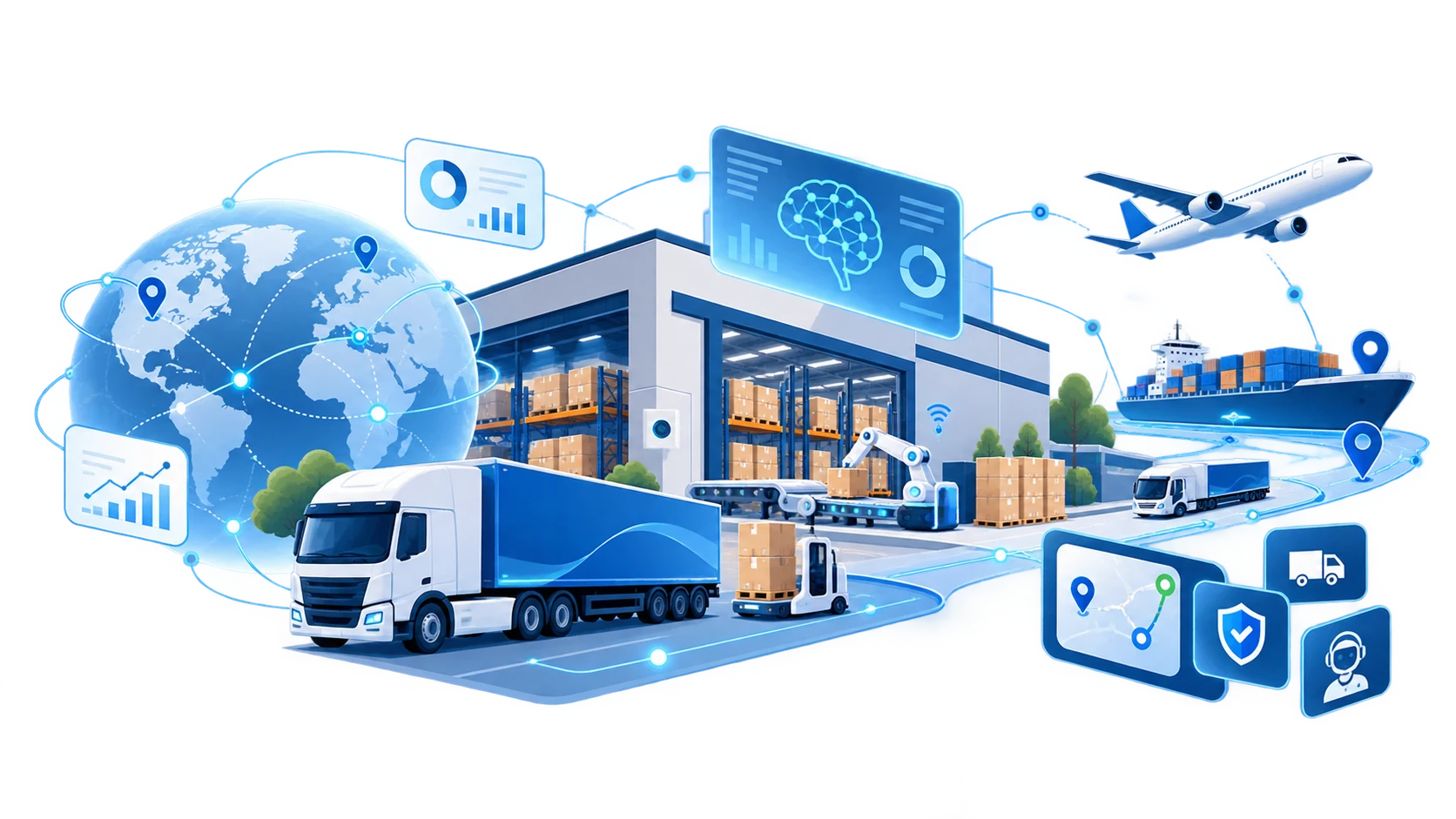
Illustration of a connected logistics network: a globe linked by delivery routes, a warehouse with robotic handling, a delivery truck, a cargo ship and a plane, and dashboards for tracking, security and support.
Industry Challenges

Key Challenges in Modern Logistics

  1. Visibility & Planning

    Disconnected systems and fragmented operational data make it difficult to maintain real-time visibility, forecast demand, and make fast, informed decisions across logistics networks.

    • Fragmented operational data
    • Limited real-time visibility
    • Inventory imbalance
    • Demand and capacity forecasting
  2. Cost & Operational Efficiency

    Rising operating costs and manual workflows reduce productivity and make logistics operations harder to scale efficiently.

    • Increasing transportation costs
    • Spreadsheet and email-based workflows
    • Repetitive administration
    • Inefficient asset utilization
  3. Delivery, Capacity & Workforce

    Labor shortages, capacity constraints, and operational bottlenecks can directly affect delivery performance and customer satisfaction.

    • Driver and workforce shortages
    • Delivery delays
    • Capacity constraints
    • Operational bottlenecks
  4. Resilience & Sustainability

    Logistics organizations must respond faster to disruption while reducing emissions and building more resilient and sustainable operations.

    • Supply-chain disruption
    • CO₂ reduction requirements
    • Route and fuel efficiency
    • Environmental performance
Opens in a new tab
Solutions

Technology Solutions for Supply Chain & Logistics

Comprehensive capabilities to modernize logistics and supply chain operations.

Process Automation

Automate procurement, shipment notifications, documentation, invoicing, and operational workflows.

Powered by Business Process Automation

Real-Time Tracking & Visibility

Track shipments, vehicles, containers, and inventory across the entire supply chain with centralized dashboards and live updates.

Dynamic Route Optimization

Optimize delivery routes in real time using AI that considers live traffic, weather conditions, delivery priorities, and vehicle capacity.

Intelligent Fleet Maintenance

Monitor fleet health using IoT and predictive analytics to identify maintenance needs before breakdowns impact operations.

Powered by AI Data & Analytics

Supply Chain Analytics

Transform logistics data into actionable insights with dashboards, performance metrics, and predictive business intelligence.

Powered by AI Data & Analytics

Demand & Capacity Forecasting

Use predictive analytics to forecast shipment demand, transportation capacity, fleet utilization, delivery volumes, and seasonal fluctuations.

Powered by AI Data & Analytics

Predictive Supply Chain Modeling

Use AI to forecast disruptions, evaluate supplier risks, and recommend alternative sourcing and transportation strategies before issues occur.

Powered by AI Data & Analytics

Automated Freight Matching

Connect shippers with carriers using intelligent algorithms that maximize vehicle utilization and reduce empty miles.

Custom Logistics Software Development

Build scalable logistics platforms, transportation management systems, and enterprise integrations tailored to your operations.

Powered by Custom Software Development

Warehouse Automation

Improve warehouse efficiency through intelligent inventory management, automated workflows, barcode integration, and AI-assisted operations.

Looking for warehouse automation? Explore Warehousing

Articles

Most Viewed Articles

AI Journey Guides

Explore AI for Logistics Step by Step

Practical guidance for logistics leaders — from understanding AI automation to evaluating opportunities and planning implementation.

  1. Step 01 Understand

    What Is AI Automation in Logistics?

    Understand how AI and automation can improve transportation, delivery, fleet, documentation, visibility, and logistics operations.

  2. Step 02 Evaluate

    7 Key Success Factors for AI Automation in Logistics

    Learn what organizations should consider before implementing AI, including workflow selection, data readiness, integration, security, ROI, and human oversight.

  3. Step 03 Implement

    A Practical Guide to AI Implementation in Logistics

    Follow a practical path from identifying the right workflow and defining requirements to running a pilot, validating results, deploying, and scaling.

AI Journey Guides · Step 01 · Understand

What Is AI Automation in Logistics?

AI automation in logistics combines artificial intelligence, operational data, and workflow automation to help logistics teams make decisions faster, reduce repetitive work, and respond more effectively to changing conditions.

Traditional automation is usually based on fixed rules: if this happens, do that.

AI extends this by helping systems interpret information, recognize patterns, predict what may happen next, and recommend—or in defined cases execute—the appropriate action.

For logistics organizations, this creates opportunities across transportation, delivery, fleet operations, documentation, visibility, planning, and customer communication.

Where Can AI Automation Be Used in Logistics?

  1. 01

    Transportation & Delivery

    AI can analyze factors such as traffic, delivery priorities, vehicle capacity, and changing operating conditions to support dispatch and route decisions.

    This can help logistics teams respond faster when schedules change or disruptions occur.

    Examples

    • Route optimization
    • Dispatch support
    • ETA prediction
    • Delivery exception detection
    • Capacity allocation
  2. 02

    Fleet Operations

    Vehicle and maintenance data can be analyzed to identify patterns that may indicate future problems.

    Instead of relying only on fixed maintenance schedules, teams can use predictive information to decide when vehicles or equipment need attention.

    Examples

    • Predictive maintenance
    • Vehicle health monitoring
    • Maintenance prioritization
    • Fleet performance analysis
  3. 03

    Logistics Documents & Administrative Work

    Logistics operations generate large volumes of documents and repetitive administrative tasks.

    AI can help read, classify, extract, compare, and process information from documents before passing it into the appropriate workflow.

    Examples

    • Shipping document processing
    • Freight invoice reconciliation
    • Delivery document handling
    • Data entry
    • Document validation
    • Exception identification

    The goal is not simply to digitize paperwork, but to reduce the amount of manual work required to move information between people and systems.

  4. 04

    Real-Time Visibility & Exception Management

    Logistics information is often distributed across transportation systems, GPS data, emails, spreadsheets, partner systems, and internal platforms.

    AI can help bring these signals together and identify what requires attention.

    Instead of asking teams to constantly monitor everything, the system can help answer questions such as:

    • Which shipments are at risk of delay?
    • Where has an unexpected change occurred?
    • Which issue requires immediate action?
    • Who needs to be informed?

    This shifts operations from simply collecting information toward acting on information.

  5. 05

    Customer & Partner Communication

    A large amount of logistics communication consists of recurring questions:

    • Where is my shipment?
    • When will it arrive?
    • Has the delivery schedule changed?
    • Which document is missing?
    • What happened to this order?

    AI assistants and agents can retrieve information from connected systems, prepare responses, summarize issues, and support communication between customers, drivers, partners, and internal teams.

    Human teams can then focus more of their time on exceptions and situations that require judgment.

  6. 06

    Planning & Decision Support

    AI can also support decisions before operations begin.

    Historical and real-time data can be used to identify patterns and support:

    • Demand forecasting
    • Transportation capacity planning
    • Resource allocation
    • Supply-chain risk analysis
    • Operational forecasting

The objective is not to replace experienced logistics professionals.

It is to give them better information, earlier signals, and more time to make important decisions.

What Does AI Automation Look Like in Practice?

A useful way to think about it is:

  1. Detect
  2. Understand
  3. Decide
  4. Act

For example:

A shipment is likely to be delayed.

  1. Detect

    The system identifies an abnormal ETA.

  2. Understand

    AI reviews relevant information such as traffic, shipment priority, route conditions, and delivery requirements.

  3. Decide

    It recommends the next best action.

  4. Act

    Depending on company rules, the system may alert an operator, prepare a customer notification, update a workflow, or trigger another approved process.

For sensitive or high-impact decisions, a person can remain responsible for final approval.

AI Automation Does Not Mean Automating Everything

The objective should not be to remove people from every logistics process.

Some workflows are highly suitable for automation. Others require experience, negotiation, judgment, or human responsibility.

A strong AI implementation therefore defines:

  • What AI can do automatically
  • What AI can recommend
  • What still requires human approval

The most effective model is often a combination of AI speed and human judgment.

Where Should a Logistics Company Start?

You do not need to transform the entire logistics operation at once.

Start by identifying a workflow that has:

  • high volumes of repetitive work
  • frequent manual data entry
  • repeated delays or exceptions
  • information spread across multiple systems
  • a clear operational bottleneck
  • measurable business impact

Then test AI on a focused process, measure the results, and expand only after the value has been demonstrated.

The question is therefore not:

“Where can we use AI?”

Almost every logistics organization can find dozens of possibilities.

The more useful question is:

“Which logistics process should we improve first?”

The Next Step

Understanding the possibilities is only the beginning.

Before implementing AI, organizations need to consider workflow selection, data readiness, system integration, security, human oversight, and how success will be measured.

AI Journey Guides · Step 02 · Evaluate

7 Key Success Factors for AI Automation in Logistics

AI can create opportunities across transportation, fleet operations, documentation, visibility, forecasting, and customer communication.

But identifying an opportunity is only the beginning.

The difference between an AI experiment and a system that creates real operational value often comes down to how the project is selected, designed, integrated, governed, and adopted.

Before implementing AI automation in logistics, organizations should evaluate these seven factors.

Start With the Right Workflow

The first question should not be:

“Where can we use AI?”

It should be:

“Which operational problem is worth solving first?”

A strong starting workflow usually has a combination of:

  • repetitive manual work
  • high transaction volume
  • frequent delays or exceptions
  • information spread across multiple systems
  • measurable cost or time impact
  • clearly defined inputs and outputs

For example, automating freight-document verification may be a better first project than attempting to automate an entire transportation operation.

Starting with a focused business problem makes it easier to define value, test the system, and determine whether AI is actually improving the process.

McKinsey similarly recommends identifying specific value opportunities and embedding AI into core workflows rather than treating it as a separate technology layer.

Make Sure the Data Is Ready

AI depends heavily on the information available to it.

Logistics data may come from:

  • TMS
  • ERP
  • GPS and telematics
  • transportation partners
  • customer systems
  • invoices and shipping documents
  • spreadsheets
  • emails
  • APIs
  • external information such as traffic or weather

The data does not need to be perfect before a project begins.

However, teams need to understand:

  • What data exists?
  • Where does it come from?
  • How reliable is it?
  • How frequently is it updated?
  • Can the AI system access it safely?

Poor or fragmented data can limit forecasting, visibility, automation, and decision quality.

Both McKinsey and AWS identify data quality and integration across fragmented systems as fundamental to digital and AI-enabled supply-chain operations.

Design for Integration, Not Isolation

An AI tool that produces an answer but cannot interact with operational systems may create another manual step instead of eliminating one.

Successful logistics automation therefore requires thinking about where AI fits into the existing workflow.

For example:

A system detects a shipment delay.

What happens next?

Does it:

  • notify the operator?
  • retrieve the affected customer?
  • update the transportation system?
  • prepare a customer notification?
  • create an exception case?
  • request approval before taking action?

The value comes from connecting insight to workflow.

This often means integration with existing systems such as TMS, ERP, CRM, telematics platforms, document systems, or internal APIs.

IBM notes that AI agents in supply-chain environments become significantly more useful when they can connect information across ERP, logistics platforms and other operational systems rather than operating in separate silos.

Define Where Humans Stay in Control

Not every logistics decision should be automated in the same way.

A useful implementation separates actions into three categories:

  • AI can act automaticallyLow-risk, clearly defined tasks.Examples:
    • classifying documents
    • extracting information
    • creating internal alerts
    • preparing routine reports
  • AI can recommendThe system analyzes the situation and proposes an action.Examples:
    • suggesting a new route
    • identifying an abnormal invoice
    • recommending maintenance
    • prioritizing delivery exceptions
  • Human approval is requiredHigher-impact actions remain under human control.Examples:
    • changing an important customer commitment
    • approving large financial adjustments
    • making sensitive operational decisions
    • overriding established business rules

As logistics AI moves from analysis toward autonomous actions, DHL and IBM both emphasize the importance of clearly defined guardrails and human oversight.

Build Security and Governance Into the Workflow

AI automation may access operational, customer, financial, employee, or partner information.

Security cannot therefore be added only after the system is built.

Before deployment, define:

  • what data the AI can access
  • which systems it can use
  • which actions it can perform
  • who owns the system
  • who approves sensitive actions
  • what activity must be logged
  • how abnormal behavior is detected
  • how access can be revoked

For AI agents capable of taking actions, permissions should follow the principle of least privilege: give the system only the access required for its specific task.

Microsoft's current guidance for agentic AI similarly recommends defined identities, minimum necessary permissions, monitoring, auditability, explicit action boundaries, and human approval for high-impact activities.

Prove Value With a Focused Pilot

Do not begin by trying to automate the entire logistics organization.

  1. 1Choose one process.
  2. 2Define the current baseline.
  3. 3Then test whether AI improves it.

Useful measurements may include:

  • processing time
  • manual workload
  • error rate
  • exception-resolution time
  • response time
  • cost per transaction
  • asset utilization
  • on-time delivery performance
  • user adoption

The important question is not simply:

“Did the AI work?”

It is:

“Did the business process improve?”

A successful pilot should provide enough evidence to decide whether the solution should be improved, expanded, redesigned, or stopped.

Clear KPIs and usage tracking are also important after launch so organizations can confirm that the expected value is actually being captured.

Plan for People, Ownership and Scale

AI automation changes how people work.

A technically successful system can still fail if employees do not trust it, understand it, or know when they are expected to use it.

Before scaling, define:

  • who owns the AI workflow
  • who handles exceptions
  • who monitors performance
  • how users will be trained
  • how feedback will be collected
  • how the system will be maintained
  • how new workflows will be approved

Employees should understand not only how to use the system, but also why the workflow is changing.

This becomes increasingly important as AI expands across departments and starts interacting with more systems.

McKinsey identifies change management and capability building as major factors in successful logistics transformation, while DHL emphasizes designing AI around human–technology collaboration rather than treating people as an afterthought.

A Simple Readiness Check

Before moving forward with an AI logistics project, ask:

  1. Business ValueDo we have a clearly defined problem worth solving?
  2. WorkflowDo we understand the current process?
  3. DataDo we have access to the information the system needs?
  4. IntegrationCan the solution connect to the systems where work actually happens?
  5. ControlHave we defined what AI can do and what requires human approval?
  6. SecurityAre permissions, data access, monitoring and accountability clear?
  7. MeasurementDo we know how we will determine whether the project succeeded?

If several of these answers are still unclear, the organization may not need a larger AI project yet.

It may first need a better-defined workflow, stronger data foundations, or a smaller pilot.

From Evaluation to Implementation

AI automation works best when technology is treated as part of the operating model—not as an isolated tool.

The objective is to connect:

  1. Business Problem
  2. Data
  3. AI
  4. Workflow
  5. Human Oversight
  6. Measurable Result

Once these foundations are clear, the next question becomes:

How do we actually implement it?

AI Journey Guides · Step 03 · Implement

A Practical Guide to AI Implementation in Logistics

Implementing AI in logistics does not need to begin with a large transformation.

The most practical approach is usually to start with one clearly defined operational problem, prove that AI can improve it, and then expand from there.

A successful implementation connects six things:

  1. Business Problem
  2. Workflow
  3. Data
  4. AI
  5. Human Oversight
  6. Measurable Result

Here is a practical path from idea to production.

Identify the Right Workflow

Start with the operation—not the technology.

Look for workflows where teams experience:

  • repetitive manual work
  • frequent delays or exceptions
  • high transaction volumes
  • repeated data entry
  • fragmented information
  • slow decision-making
  • measurable operational cost

Examples might include:

  • shipment-status inquiries
  • freight invoice reconciliation
  • delivery exception management
  • route planning
  • fleet maintenance
  • logistics document processing
  • transportation capacity planning

The first project should be meaningful enough to create value, but focused enough to test safely.

McKinsey recommends beginning with a value-first assessment of logistics processes and prioritizing use cases based on operational impact rather than simply deploying technology wherever possible.

Map the Current Process

Before automating a workflow, understand how it works today.

Document:

  1. TriggerWhat starts the process?
  2. InputsWhat information does the team need?
  3. SystemsWhere does that information come from?
  4. DecisionsWhat judgments are made?
  5. ActionsWhat happens next?
  6. ExceptionsWhen does the normal process break?
  7. Human rolesWho is responsible at each stage?

For example:

  1. Customer asks for shipment status
  2. employee searches transportation system
  3. checks latest tracking information
  4. identifies possible delay
  5. prepares response
  6. escalates if necessary

Once the process is visible, it becomes much easier to decide which parts AI should automate and which parts should remain under human control.

Define Requirements and Boundaries

Now define exactly what the AI system should—and should not—do.

Avoid requirements such as:

“Use AI to improve logistics.”

Instead define something measurable:

“Retrieve shipment information, detect delivery exceptions, prepare a customer response, and route high-risk cases to an operator.”

Define:

  • required inputs
  • expected outputs
  • connected systems
  • response times
  • accuracy requirements
  • user permissions
  • exception rules
  • escalation paths
  • human approval points

This is particularly important as AI systems become capable of taking actions across operational systems.

DHL and Microsoft both emphasize defining decision boundaries, permissions, accountability, and human oversight before autonomous actions are introduced.

Prepare the Data and Integrations

AI becomes useful when it can work with the information required by the workflow.

Depending on the project, this may include data from:

  • TMS
  • ERP
  • CRM
  • GPS and telematics
  • carrier platforms
  • transportation partners
  • APIs
  • email
  • spreadsheets
  • shipping documents
  • invoices
  • internal databases

The key questions are:

  • Can we access the required data?
  • Is it reliable enough?
  • Is it updated frequently enough?
  • Can systems exchange information safely?
  • Who is allowed to access what?

AI should not become another isolated system that employees have to manually copy information into and out of.

It should fit into the operational environment.

Data quality, system integration, and fragmented technology landscapes remain some of the most common barriers to successful digital and AI logistics implementations.

Build a Focused Pilot

Do not attempt full deployment immediately.

Build a limited pilot around:

  • one workflow
  • one team or operation
  • clearly defined users
  • controlled data
  • measurable success criteria

For example:

Instead of:Automate all customer communication.

Start with:Automatically prepare responses to shipment-status inquiries for one transportation operation.

A pilot should answer three questions:

  1. 01Does it work technically?Can the system perform the required task reliably?
  2. 02Does it improve the workflow?Does it reduce time, manual effort, errors, or delays?
  3. 03Will people actually use it?Does it fit into the way employees work?

The purpose of a pilot is not to prove that AI is impressive.

It is to prove that the business process becomes better.

A tightly scoped pilot with clear technical, operational, adoption, and cost measures is also consistent with broader AI implementation guidance for moving from experimentation toward production.

Validate Before Production

Before going live, test the system against real operating conditions.

Do not test only normal scenarios.

Test:

  • missing information
  • incorrect data
  • unusual requests
  • system outages
  • duplicate documents
  • ambiguous cases
  • unexpected shipment changes
  • unauthorized actions
  • high-risk decisions

Define what happens when AI is uncertain.

A safe workflow might look like:

  1. High confidence + low riskAI completes the task.
  2. Medium confidenceAI prepares a recommendation for review.
  3. High risk / unusual situationHuman takes control.

This allows automation to increase without removing appropriate operational oversight.

Deploy With Monitoring From Day One

Production deployment is not the end of the project.

It is the beginning of operations.

Monitor:

  • accuracy
  • error rates
  • response times
  • failed actions
  • user overrides
  • escalations
  • system usage
  • operational impact
  • costs

Also establish:

  • a named owner
  • incident procedures
  • access controls
  • audit logs
  • approval rules
  • escalation paths

Microsoft's current agent-governance guidance recommends named ownership, monitoring, release gates, auditability, security review, and explicit decision rights before higher-impact AI systems enter production.

Measure Business Results

Do not evaluate the project only with technical metrics.

Measure whether logistics operations actually improved.

Depending on the workflow, this might include:

  • processing time
  • manual workload
  • cost per transaction
  • error rate
  • response time
  • delivery performance
  • exception-resolution time
  • fleet utilization
  • document-processing speed
  • customer response time
  • employee adoption

Compare these results against the baseline established before implementation.

The question is:

Did this workflow become faster, cheaper, safer, or more reliable?

If not, determine why before expanding.

Scale What Works

Once a workflow demonstrates value, expansion becomes much easier.

You might scale:

HorizontallyApply the same workflow across more teams, locations, customers, or regions.

or:

VerticallyGive the AI system additional capabilities within the same workflow.

For example:

  1. Stage 1AI detects shipment delays.
  2. Stage 2AI recommends responses.
  3. Stage 3AI prepares customer notifications.
  4. Stage 4AI sends approved notifications automatically.
  5. Stage 5AI coordinates multiple related actions across connected systems.

This gradual progression allows autonomy to increase as trust, governance, integrations, and operational maturity improve.

DHL similarly expects logistics AI adoption to progress from assistive systems toward supervised workflows and, where appropriate, controlled autonomous action.

A Practical Implementation Path

A successful logistics AI project can be summarized as:

  1. 01IdentifyChoose a valuable operational problem.
  2. 02MapUnderstand the current workflow.
  3. 03DefineSpecify requirements, permissions, and human boundaries.
  4. 04ConnectPrepare data and system integrations.
  5. 05PilotTest the solution in a controlled environment.
  6. 06ValidateMeasure accuracy, safety, usability, and business impact.
  7. 07DeployMove into production with monitoring and governance.
  8. 08MeasureTrack real operational results.
  9. 09ScaleExpand only what has demonstrated value.

Start Small. Design for Scale.

AI implementation in logistics does not need to begin with a company-wide transformation.

Start with a workflow where the problem is clear, the value can be measured, and the operational boundaries can be defined.

Then build the foundations—data, integrations, governance, human oversight, and measurement—that allow successful pilots to become reliable production systems.

The objective is not to automate as much as possible.

It is to build better logistics operations, using AI where it creates practical and measurable value.

Ready to Explore AI for Your Logistics Operations?

Every logistics operation has different workflows, systems, and challenges. Robo Lab can help identify where AI and automation can create practical business value.

Talk to Our Team Explore AI Solutions