Hospitality

Intelligent
Restaurant Solutions

Smart Dining & Kitchen Operations

Helping restaurants, cafés, QSRs, hotel dining operations, and food-service businesses forecast demand, reduce food waste, optimize labor and kitchen operations, improve guest experiences, and strengthen profitability through AI and intelligent automation.

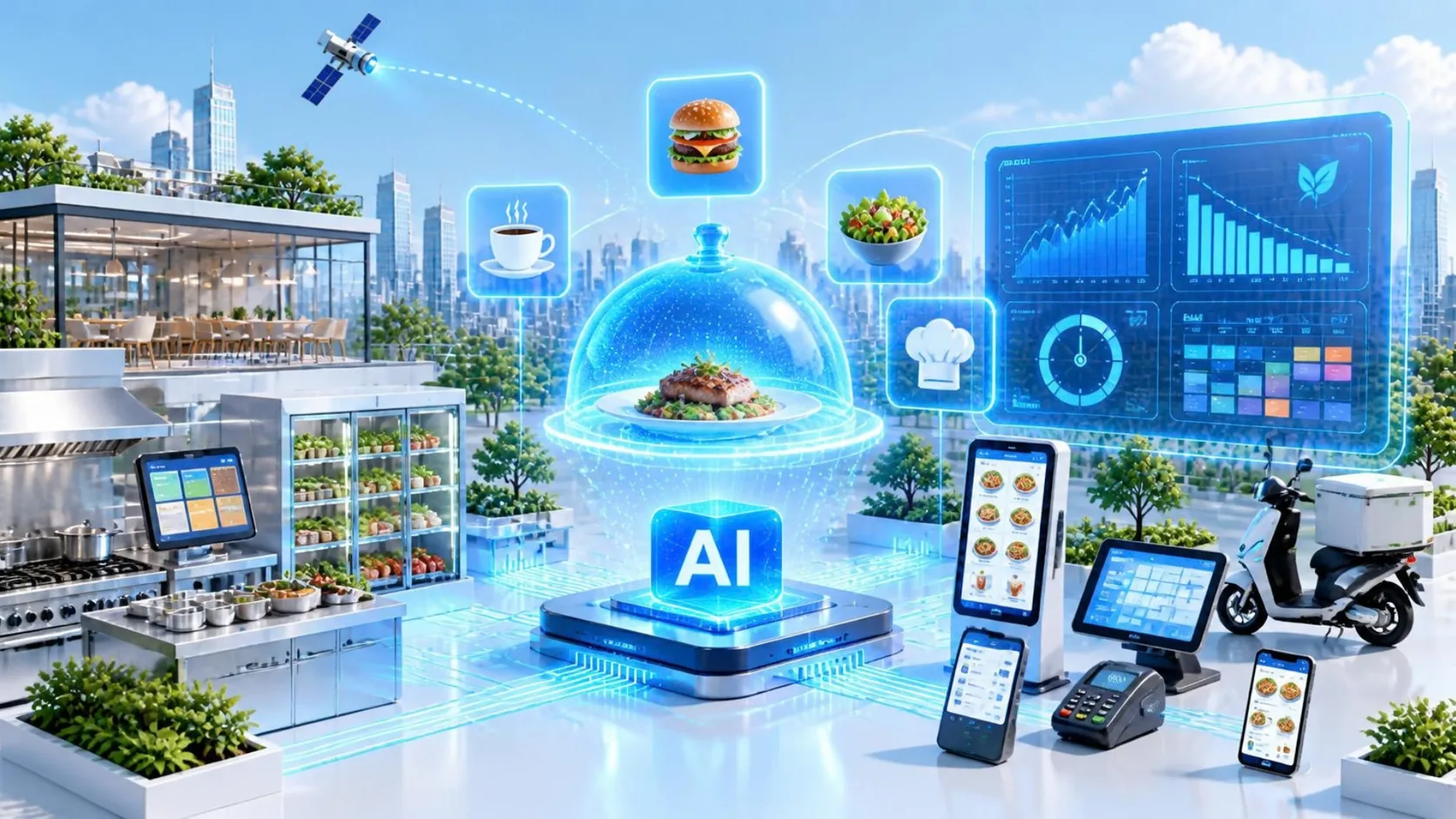
Illustration of AI-assisted restaurant operations: a glowing holographic serving cloche over a plated dish above an AI platform, with menu items floating around it, linked by light trails to a dining room, a stainless-steel kitchen with a kitchen display, a fridge of fresh ingredients, a dashboard with demand, food-waste, speed-of-service and shift-schedule panels, a self-order kiosk, a point-of-sale tablet, a card terminal, ordering apps on phones and a delivery scooter.
Industry Challenges

Key Challenges in Restaurant Operations

  1. Demand, Inventory & Food Waste

    Uncertain demand and perishable inventory make it difficult to purchase, prep, and stock the right quantities without creating shortages or unnecessary food waste.

    • Demand forecasting
    • Inventory visibility
    • Prep planning
    • Food waste
  2. Labor, Kitchen Flow & Service Speed

    Labor shortages, unpredictable rush periods, and disconnected front-of-house and kitchen workflows can quickly increase wait times and reduce service quality.

    • Labor planning
    • Kitchen throughput
    • Order flow
    • Peak-hour performance
  3. Guest Experience, Ordering & Loyalty

    Guests expect convenient ordering, accurate service, relevant recommendations, and a consistent experience across dine-in, takeaway, delivery, mobile, and loyalty channels.

    • Ordering convenience
    • Personalization
    • Guest satisfaction
    • Loyalty
  4. Margin, Performance & Operational Control

    Rising ingredient, labor, utility, and delivery costs make it increasingly important for restaurant managers to understand what is driving sales, margin, waste, labor, and operational performance.

    • Food cost
    • Labor cost
    • Menu profitability
    • Operational visibility
Opens in a new tab
Solutions

Technology Solutions for Restaurants

Comprehensive capabilities to modernize restaurant operations.

Predict → Prepare → Serve → Learn

A smarter restaurant is not one with more technology—it is one that makes better decisions before, during, and after every shift.

  1. Predict
    • How many guests and orders are likely?
    • What items will sell?
    • What inventory and labor will be required?
  2. Prepare
    • Purchase ingredients.
    • Prepare food.
    • Schedule employees.
    • Set kitchen capacity.
  3. Serve
    • Take orders.
    • Prepare meals.
    • Manage tables, takeaway, delivery and drive-through.
  4. Learn
    • What sold?
    • What was wasted?
    • How long did guests wait?
    • Which items made money?
    • What did guests say?

Use that information to improve the next shift.

AI Demand & Inventory Forecasting

Use predictive analytics to forecast demand, optimize purchasing, reduce food waste, and improve inventory accuracy.

Powered by AI Data & Analytics

Workforce & Scheduling Automation

Optimize employee scheduling, labor planning, attendance tracking, and shift management using AI-powered forecasting.

Powered by Business Process Automation

Smart Kitchen Automation

Automate repetitive kitchen tasks, improve workflow efficiency, and maintain consistent food preparation standards.

AI Ordering & Voice Assistants

Enable AI-powered phone ordering, self-service kiosks, digital ordering, and drive-thru automation for faster customer service.

Powered by AI Agent Development

Smart POS & Restaurant Management

Integrate POS systems, reservations, table management, online ordering, and payment solutions into a unified platform.

Powered by System Integration

Intelligent Menu Optimization

Analyze sales performance, customer preferences, and profitability to optimize menu offerings and pricing strategies.

Powered by AI Data & Analytics

Kitchen Performance Analytics

Monitor order times, kitchen efficiency, food costs, and operational KPIs with real-time dashboards.

Powered by AI Data & Analytics

Customer Loyalty & Personalization

Deliver personalized promotions, rewards, and recommendations based on customer behavior and purchase history.

Powered by AI Data & Analytics

Process Automation

Automate reporting, inventory updates, supplier orders, customer communications, and operational workflows.

Powered by Business Process Automation

Custom Restaurant Software Development

Develop tailored restaurant management systems, ordering platforms, mobile applications, and customer engagement solutions.

Powered by Custom Software Development

Articles

Most Viewed Articles

AI Journey Guides

Explore AI for Restaurant Operations Step by Step

Practical guidance for restaurant leaders — from understanding AI automation to evaluating operational readiness and implementing AI across demand, kitchen, labor, and guest operations.

  1. Step 01 Understand

    What Is AI Automation in Restaurant Operations?

    Understand how AI can help restaurants forecast demand, reduce waste, plan labor, improve kitchen flow, optimize menus, support ordering, and strengthen guest experiences.

  2. Step 02 Evaluate

    7 Key Success Factors for AI Automation in Restaurants

    Learn what restaurants should evaluate before implementation, including POS data, demand patterns, recipe and inventory accuracy, kitchen workflow, labor operations, guest experience, and measurable margin impact.

  3. Step 03 Implement

    A Practical Guide to AI Implementation in Restaurant Operations

    Follow a practical path from selecting the right restaurant decision and connecting POS, menu, inventory, kitchen, and labor data to piloting, measuring, deploying, and improving AI.

AI Journey Guides · Step 01 · Understand

What Is AI Automation in Restaurant Operations?

A restaurant makes hundreds of decisions before, during, and after every service period.

  • How many guests are likely to arrive?
  • Which menu items will sell?
  • How much food should be prepared?
  • How many employees are needed?
  • Which ingredients need to be reordered?
  • Where is the kitchen beginning to slow down?
  • Which menu items are actually profitable?
  • What are customers saying about their experience?

Traditionally, restaurants answer these questions using experience, historical sales, manual checks, fixed schedules, and manager judgment.

AI adds another layer.

It can analyze restaurant data continuously, identify patterns, predict what may happen next, and help teams make better operational decisions.

AI automation in restaurant operations combines artificial intelligence, restaurant data, and automated workflows to improve demand forecasting, inventory, labor planning, kitchen operations, ordering, menu performance, and guest experience.

The goal is not to automate hospitality.

It is to reduce operational friction so restaurant teams can run each shift more effectively.

The Intelligent Restaurant Shift

A useful way to understand restaurant AI is:

  1. Predict

    Estimate what is likely to happen.

    • How many guests?
    • Which hours will be busiest?
    • Which menu items will sell?
    • How much delivery demand should we expect?
    • What inventory and labor will be required?
  2. Prepare

    Turn those predictions into operating decisions.

    • Purchase ingredients
    • Prepare food
    • Schedule employees
    • Set kitchen capacity
    • Check equipment
    • Prepare for expected demand
  3. Serve

    Respond to what is actually happening.

    • Orders arrive
    • Kitchen workloads change
    • Inventory decreases
    • Tables turn
    • Delivery demand changes
    • Customers request assistance
    • Unexpected problems occur
  4. Learn

    Understand the result of the shift.

    • What sold?
    • What was wasted?
    • Where were delays?
    • What generated margin?
    • Were forecasts accurate?
    • What did customers say?

Use those outcomes to improve the next service period.

That is the restaurant intelligence loop.

Demand Forecasting

Demand affects almost every restaurant decision.

If demand is overestimated, the restaurant may:

  • Prepare too much food
  • Order too much inventory
  • Schedule unnecessary labor
  • Increase waste

If demand is underestimated, the restaurant may experience:

  • Stockouts
  • Long wait times
  • Understaffing
  • Kitchen congestion
  • Lost sales

AI forecasting can analyze signals such as:

  • Historical POS sales
  • Day of the week
  • Time of day
  • Seasonality
  • Holidays
  • Reservations
  • Promotions
  • Weather
  • Local events
  • Delivery demand
  • Location-specific patterns

For example:

Historical Friday Sales+Current Reservations+Weather+Local Event+Recent Demand Trend→Expected Dinner Demand

The important point is not simply predicting sales.

The forecast should improve what the restaurant does next.

Turning Demand Into a Prep Plan

Suppose AI predicts that tonight the restaurant will sell:

  • 150 chicken dishes
  • 90 pasta dishes
  • 60 salads

That information can be translated into:

  • Ingredient requirements
  • Prep quantities
  • Batch sizes
  • Station workload
  • Replenishment needs

The operating chain becomes:

  1. Demand Forecast
  2. Menu Items
  3. Recipes
  4. Ingredient Requirements
  5. Prep Plan

This is where AI becomes useful operationally.

A prediction sitting on a dashboard has limited value.

A prediction that changes purchasing, preparation, or staffing can improve the shift.

Inventory & Food Waste

Restaurants operate with perishable products.

That makes inventory particularly difficult.

Too little inventory can mean:

  • Menu items unavailable
  • Lost sales
  • Emergency purchasing
  • Poor guest experience

Too much can mean:

  • Spoilage
  • Waste
  • Excess food cost
  • Unnecessary inventory

AI can help connect:

Expected Demand+Current Inventory+Recipe Requirements+Shelf Life

to support purchasing and preparation decisions.

Instead of only asking:

“How much chicken is currently in stock?”

the restaurant can ask:

“Is that enough chicken for the demand expected over the next two days?”

That is a much more useful operational question.

Labor Planning

Labor is another decision directly connected to demand.

Managers need enough employees to provide good service without creating unnecessary labor cost.

AI can help estimate staffing requirements based on expected activity.

For example:

  1. Expected Orders by Hour
  2. Dine-In / Takeaway / Delivery Mix
  3. Kitchen Workload
  4. Front-of-House Workload
  5. Suggested Staffing Requirement

Managers still need to consider factors AI may not fully understand, such as:

  • Employee experience
  • Training
  • Skill combinations
  • Availability
  • Large reservations
  • Local events
  • Operational changes

AI provides a stronger starting point.

Managers provide the real-world judgment.

Kitchen Flow & Order Coordination

A busy kitchen is constantly balancing different types of work.

There may be:

  • Dine-in orders
  • Takeaway
  • Delivery
  • Different cooking times
  • Multiple kitchen stations
  • Special requests
  • Priority orders
  • New orders arriving continuously

AI and intelligent automation can help teams understand where work is accumulating and where service is beginning to slow down.

For example:

  1. Order Received
  2. Items Routed to Stations
  3. Preparation Times Evaluated
  4. Current Kitchen Load Checked
  5. Tasks Prioritized
  6. Order Assembled
  7. Completion Time Recorded

AI does not need to tell chefs how to cook.

Its value can be in improving the operational flow around the cooking.

Menu Intelligence

A menu item can be popular without being profitable.

Another item may generate strong margin but create significant kitchen complexity.

AI can help restaurants analyze menu performance across several dimensions at the same time.

A useful model is:

Popularity×Profitability×Operational Complexity

The analysis might combine:

  • Sales volume
  • Selling price
  • Ingredient cost
  • Preparation time
  • Labor requirements
  • Waste
  • Kitchen workload
  • Order combinations
  • Day and time
  • Location

This can help identify:

High-Selling, High-Margin Items
Strong performers worth protecting.
High-Selling, Low-Margin Items
Popular items that may require pricing or recipe review.
High-Margin Opportunities
Profitable items that may deserve more visibility.
Operationally Difficult Items
Dishes that create disproportionate kitchen pressure.

The goal is not for AI to write the menu.

It is to help managers understand what the menu is doing to the business.

AI Ordering & Guest Assistance

AI can also support guests directly.

Possible applications include:

  • Voice ordering
  • Digital ordering assistants
  • Reservation support
  • Menu questions
  • Order status
  • Product recommendations
  • Modification requests

But useful Restaurant AI needs access to real operational information.

Imagine a guest asks:

“Which chicken dishes do not contain peanuts?”

A reliable system needs approved information about:

  • Menu items
  • Ingredients
  • Allergens
  • Current availability

It should not generate an answer simply because it sounds plausible.

Or imagine a customer asks:

“Can I change the side on my order?”

The system needs to understand:

  • The actual order
  • Allowed modifications
  • Product availability
  • Restaurant rules

The value comes from connecting the conversation to the restaurant systems behind it.

Real-Time Operations

A forecast describes what the restaurant expects.

The actual shift may be very different.

  • Demand may suddenly increase.
  • An employee may call in sick.
  • A fryer may fail.
  • A delivery platform may generate an unexpected rush.
  • An ingredient may run out.

AI can help compare:

ExpectedwithActual

For example:

  1. 01Forecast100 orders between 12:00 and 13:00.
  2. 02Actual140 orders arriving faster than expected.
  3. 03AI DetectsDemand materially exceeds forecast.
  4. 04Restaurant Responds
    • Manager alerted
    • Kitchen capacity reviewed
    • Prep adjusted
    • Available labor reconsidered

This creates another important operating cycle:

  1. Forecast
  2. Observe
  3. Adapt

A restaurant should not continue following the morning plan when the shift has clearly changed.

Food Safety Monitoring

Restaurant AI can also support food-safety operations.

Connected systems may help monitor:

  • Refrigeration
  • Freezers
  • Hot holding
  • Cooking temperatures
  • Equipment conditions
  • Cleaning checks

For example:

  1. Refrigerator Temperature Monitored
  2. Unusual Trend Detected
  3. Manager Alerted
  4. Equipment and Food Condition Checked

AI can make abnormalities easier to identify.

But it should support established food-safety processes—not replace them.

The same is true for allergen information.

When AI communicates food-safety information to employees or guests, it should rely on trusted restaurant data rather than generating answers from uncertain information.

Predictive Kitchen Equipment Maintenance

Restaurant operations depend on equipment.

Examples include:

  • Refrigerators
  • Freezers
  • Ovens
  • Fryers
  • Ice machines
  • Dishwashers
  • Coffee machines
  • Ventilation systems

Unexpected failure can immediately affect service.

AI can analyze equipment signals such as:

  • Temperature
  • Runtime
  • Compressor behavior
  • Energy consumption
  • Historical failures

to help identify abnormal behavior earlier.

Instead of:

Equipment fails during dinner → Emergency response

the process can become:

  1. Equipment behavior changes
  2. Potential issue detected
  3. Manager or maintenance notified
  4. Inspection scheduled
  5. Failure potentially avoided

The value is not only maintenance efficiency.

It is protecting the restaurant's ability to serve customers.

Customer Feedback

Restaurants receive enormous amounts of customer feedback through:

  • Reviews
  • Surveys
  • Delivery platforms
  • Social media
  • Customer-service messages

AI can help organize this information and detect recurring patterns.

Imagine analyzing 2,000 reviews.

Instead of reading each one manually, AI could identify themes such as:

  • Food Quality
  • Service Speed
  • Cleanliness
  • Staff Friendliness
  • Value
  • Delivery Accuracy

and show how those themes change over time or by location.

Instead of only knowing:

Average rating: 4.2

management can understand:

Why is the rating changing?

That turns feedback into operational intelligence.

Personalization & Loyalty

Restaurants can also use AI to improve loyalty experiences.

Relevant information may include:

  • Order history
  • Visit frequency
  • Preferred items
  • Time of visit
  • Loyalty activity
  • Previous promotions

A restaurant does not need to send every customer the same promotion.

AI can help identify more relevant offers or recommendations.

For example:

A customer who regularly orders vegetarian dishes may receive recommendations from that part of the menu rather than unrelated items.

The goal should be:

Relevance

not:

More Marketing

Personalization should make the restaurant more useful to the guest rather than make the experience feel invasive.

The Restaurant Manager's AI Assistant

One of the most practical opportunities is an AI assistant for restaurant managers.

Imagine starting the day by asking:

“What should I pay attention to today?”

The system could combine:

  • Sales forecast
  • Reservations
  • Inventory
  • Labor schedule
  • Weather
  • Equipment status
  • Recent performance

and produce a concise operating brief.

For example:

Demand
Dinner demand expected to be 18% above normal.
Inventory
Chicken inventory may be insufficient based on current forecast.
Labor
Dinner staffing appears below expected requirement.
Equipment
Freezer 2 has shown unusual temperature behavior.
Menu
One high-demand item may become unavailable before peak service.

This does not replace the restaurant manager.

It helps the manager identify priorities faster.

AI Should Reduce Complexity

Restaurants already use many systems:

  • POS
  • Inventory
  • Scheduling
  • Reservations
  • Kitchen displays
  • Delivery platforms
  • Loyalty
  • Accounting

AI should not automatically become another dashboard employees must manage.

Whenever possible, intelligence should appear where the decision already happens.

For example:

  1. Demand forecastinside purchasing and prep planning.
  2. Labor recommendationinside scheduling.
  3. Kitchen alertsinside operations.
  4. Customer assistanceconnected to orders and menu data.
  5. Menu insightsconnected to sales and food cost.

Good Restaurant AI should reduce operational complexity—not add to it.

Before, During & After the Shift

A simple way to organize Restaurant AI is through three operating periods.

  1. Before Service

    Predict & Prepare

    Forecast:

    • Sales
    • Orders
    • Menu demand
    • Labor
    • Inventory

    Prepare:

    • Ingredients
    • Schedule
    • Kitchen
    • Purchasing
  2. During Service

    Sense & Respond

    Monitor:

    • Orders
    • Wait times
    • Kitchen workload
    • Inventory
    • Equipment
    • Actual demand

    Respond when reality differs from the plan.

  3. After Service

    Measure & Learn

    Analyze:

    • Sales
    • Food cost
    • Labor
    • Waste
    • Menu performance
    • Service times
    • Customer feedback
    • Forecast accuracy

    Then improve the next shift.

This creates:

  1. Predict & Prepare
  2. Sense & Respond
  3. Measure & Learn
  4. Better Next Shift

AI Automation Does Not Mean Automating Hospitality

A restaurant is not only an operational system.

It is also a hospitality business.

Guests remember:

  • How they were welcomed
  • How employees responded to problems
  • Whether the experience felt personal
  • Whether service felt attentive
  • Whether the meal felt worth the price

AI can help automate:

  • Forecasting
  • Scheduling
  • Inventory analysis
  • Reporting
  • Repetitive ordering tasks
  • Operational monitoring

But hospitality still depends heavily on people.

The best principle is:

Automate the Friction — Not the Hospitality

  • Reduce repetitive work.
  • Give teams better information.
  • Identify problems earlier.
  • Make shifts easier to manage.

Then allow restaurant employees to spend more attention on the guest.

Where Should a Restaurant Start?

Do not begin with:

“How can we use AI everywhere?”

Choose one recurring restaurant decision.

For example:

  • How much should we prepare tomorrow?
  • How many employees do we need Friday evening?
  • Which menu items are actually profitable?
  • Where is food waste coming from?
  • Why does the kitchen slow down during lunch?
  • Which equipment failures create the most disruption?

Then ask:

  1. 01Do We Have the Data?POS? Recipes? Inventory? Labor? Kitchen? Customer?
  2. 02Is the Decision Repeated Often?Every day? Every shift? Every order?
  3. 03Can AI Change an Action?Order less? Prep more? Schedule differently? Prioritize another task?
  4. 04Can We Measure the Result?Food cost? Waste? Labor? Wait time? Margin? Guest satisfaction?

If the answer is yes, the restaurant may have a strong AI automation opportunity.

The Goal: A Restaurant That Learns Every Shift

The biggest opportunity is not:

an AI waiterora robotic kitchen.

It is creating an operation that becomes better at connecting:

what guests are likely to wantwithwhat the restaurant is prepared to deliver.

That gives us the full restaurant intelligence cycle:

  1. 01PredictWhat is likely to happen?
  2. 02PrepareWhat do we need to be ready?
  3. 03ServeWhat is actually happening?
  4. 04LearnWhat worked, what did not, and why?

Improve the Next Shift

  • AI helps analyze more information.
  • Automation connects insights to restaurant workflows.
  • People provide judgment, hospitality, creativity, and real-world context.

Together, they can create restaurant operations that become smarter with every service period.

AI Journey Guides · Step 02 · Evaluate

7 Key Success Factors for AI Automation in Restaurants

AI can help restaurants forecast demand, plan labor, reduce food waste, optimize menus, improve ordering, identify operational bottlenecks, and understand guest behavior.

But a restaurant can have an excellent AI forecast and still get poor results.

Why?

Because a prediction only creates value if it changes what happens during the shift.

  • If sales data is unreliable, the forecast will be weak.
  • If recipes and food costs are inaccurate, menu optimization will be misleading.
  • If inventory is disconnected from demand, the restaurant may still over-prep or run out.
  • If managers do not trust the recommendation, nothing changes.

The real question is therefore not:

“Do we have enough AI?”

It is:

“Can our restaurant turn intelligence into better operational decisions?”

Before implementation, evaluate these seven factors.

Establish POS Truth

The POS is one of the most important data sources in Restaurant AI.

It tells the restaurant what actually happened.

  • Which items sold?
  • When?
  • At which location?
  • Through which channel?
  • At what price?
  • With which modifications?
  • Were items discounted?
  • Were orders cancelled?
  • Were products unavailable?

If this information is inconsistent, AI starts from a distorted version of the business.

Consider a restaurant that wants to forecast demand for chicken dishes.

The system may see:

500 chicken dishes sold last Friday.

But what if:

  • 50 staff meals were recorded as sales?
  • Several items were incorrectly mapped?
  • Delivery orders were duplicated?
  • A promotion changed demand unusually?
  • A product was unavailable for part of the evening?

Those details change the meaning of the data.

Before using AI for forecasting, menu analysis, or customer recommendations, the restaurant should understand whether its transaction data reliably represents real customer demand.

That means establishing:

POS Truth

The sales history should accurately reflect what guests ordered, when they ordered it, where they ordered it, and what actually happened to the transaction.

For multi-location restaurant groups, consistency becomes even more important.

If every restaurant uses different menu codes or data structures, comparing locations becomes much harder.

AI works best when the underlying operating language is consistent.

Know the Real Recipe and Food Cost

Sales data tells you what sold.

It does not tell you whether the sale was profitable.

For that, Restaurant AI needs to understand the product itself.

A menu item may contain:

  • ingredients
  • portion sizes
  • yield
  • prep requirements
  • packaging
  • sometimes significant labor

Suppose a pasta dish sells for ¥1,600.

The POS knows:

Sales price = ¥1,600

But to understand its economics, the restaurant may also need:

  • ingredient cost
  • portion size
  • actual yield
  • waste
  • prep time
  • packaging cost
  • commission for delivery orders

If recipe data is inaccurate, AI may make poor recommendations.

For example:

“Promote this item because it has strong sales and margin.”

But the real ingredient cost may have increased significantly.

Or:

“Remove this low-volume menu item.”

But perhaps it generates high margin and requires almost no additional kitchen complexity.

The restaurant therefore needs:

Recipe TruthandFood-Cost Truth

This becomes the foundation for intelligent menu analysis.

A useful model is:

Sales×Food Cost×Waste×Labor×Kitchen Complexity

Only then can AI begin helping management answer:

Which dishes are truly contributing to restaurant performance?

Understand Demand by Daypart, Channel and Location

Restaurant demand is not one number.

A restaurant may perform very differently:

  • at breakfast
  • at lunch
  • during dinner
  • on weekends
  • during rain
  • during local events
  • across dine-in, takeaway, and delivery

A useful AI forecast therefore needs to understand the structure of demand.

Imagine a restaurant that expects:

500 orders tomorrow.

That number alone is not operationally useful.

The kitchen needs to know:

  • When will those orders arrive?
  • Which menu items will they contain?
  • Which channel will generate them?
  • Which station will receive the workload?

A more useful forecast might say:

Lunch
120 expected orders. High salad and sandwich demand. Mostly dine-in.
Afternoon
45 expected orders. Low kitchen load.
Dinner
260 expected orders. Strong grill demand. High delivery activity between 19:00 and 20:30.

Now the restaurant can make decisions.

This creates a demand hierarchy:

  1. Restaurant
  2. Location
  3. Day
  4. Daypart
  5. Channel
  6. Menu Item

The closer the forecast gets to the decision being made, the more useful it becomes.

Forecasting is especially valuable in restaurants because so many other decisions depend on it. Current operator research places labor optimization, labor forecasting, inventory forecasting, sales forecasting, and waste detection among the highest-priority AI capabilities for restaurant operations.

Connect Forecasting to Inventory and Prep

A forecast should not end on a dashboard.

It should change the plan.

Suppose AI predicts:

180 burgers tomorrow evening.

That prediction should connect to:

  1. 01RecipeHow much meat, bread, cheese, sauce, and garnish does one burger require?
  2. 02Current InventoryWhat is already available?
  3. 03Expected UsageHow much will tomorrow's demand consume?
  4. 04Prep RequirementWhat should the kitchen prepare before service?
  5. 05PurchasingWhat needs to be ordered?

This is where forecasting becomes operational automation.

The same principle applies to waste.

Suppose the restaurant repeatedly prepares 40 portions of one item for lunch but sells only 25.

AI can identify the pattern.

But unless the prep plan changes, nothing improves.

A stronger loop is:

  1. Forecast
  2. Prep Recommendation
  3. Actual Sales
  4. Waste
  5. Forecast Adjustment

That creates continuous learning.

The restaurant should therefore ask:

Can our demand forecast actually influence purchasing, prep, and replenishment?

If not, the AI may generate information without changing the operation.

Fit AI Into the Kitchen and Service Flow

Restaurant employees work under time pressure.

They cannot continuously switch between multiple dashboards to check what AI is recommending.

Technology needs to fit the way the shift already operates.

This matters in both front-of-house and back-of-house operations.

Consider a kitchen bottleneck.

AI might identify that the grill station is overloaded.

But what happens next?

  • Does the information appear on the kitchen display?
  • Does a manager receive an alert?
  • Can orders be reprioritized?
  • Can preparation be shifted?
  • Or does the insight simply remain on another analytics screen?

The same applies to labor.

If AI predicts a busy dinner but the recommendation never reaches the scheduling process, it creates little value.

Restaurant AI should therefore connect to the systems where work already happens:

  • POS
  • kitchen displays
  • scheduling
  • inventory
  • ordering
  • reservations
  • delivery
  • manager workflows

The guiding principle should be:

Intelligence should appear where the decision happens.

The National Restaurant Association similarly emphasizes AI applications in inventory, preparation, staff scheduling, ordering, maintenance, and customer service rather than treating AI as an isolated tool.

Protect Guest Experience, Food Safety and Human Judgment

Not every Restaurant decision should be optimized only for speed or cost.

Some decisions affect:

  • hospitality
  • allergens
  • food safety
  • customer trust
  • brand experience

Consider an AI ordering assistant.

If a guest asks:

“Is this dish safe for someone with a peanut allergy?”

the AI should not improvise.

It needs trusted allergen information and clearly defined escalation rules.

If the information is uncertain, the correct action may be:

Ask a trained employee.

The same principle applies to food-safety monitoring.

AI can help identify abnormal refrigeration temperatures or missed checks.

But established food-safety procedures should continue to define what actions are required.

And guest-facing automation needs boundaries too.

AI may help with:

  • reservations
  • routine ordering
  • basic questions
  • recommendations
  • order-status inquiries

But a customer who is angry, confused, has a serious allergy concern, or is dealing with an unusual situation may need a person.

A useful restaurant model is:

  • AutomateRoutine, repetitive, clearly defined interactions.
  • AssistSituations where AI can provide information or recommendations.
  • EscalateSituations where hospitality, safety, judgment, or exception handling requires a person.

The goal is not to remove people from service.

It is:

Automate the friction — not the hospitality.

Measure the Shift Economics and Manager Adoption

The final success factor is the most important:

Did the restaurant actually operate better?

Do not judge Restaurant AI by:

  • number of predictions
  • number of AI interactions
  • number of automated tasks

Measure what happened to the shift.

Depending on the use case, that may mean:

Demand & Inventory

  • Forecast accuracy
  • Stockouts
  • Food waste
  • Emergency purchasing

Labor

  • Labor cost
  • Overtime
  • Sales per labor hour
  • Schedule accuracy

Kitchen

  • Ticket time
  • Throughput
  • Bottlenecks
  • Order accuracy

Menu

  • Contribution margin
  • Food cost
  • Item profitability
  • Waste by item

Guest Experience

  • Wait time
  • Order accuracy
  • Guest satisfaction
  • Repeat visits

Management

  • Time spent preparing schedules
  • Time spent analyzing reports
  • Time spent managing exceptions

But measurement alone is not enough.

Managers and employees also need to use the system.

Imagine an AI forecast that is technically more accurate than a restaurant manager.

But managers ignore it because they do not understand why it changed.

Operationally, the system has failed.

The restaurant therefore needs a feedback relationship:

  1. AI Recommendation
  2. Manager Decision
  3. Shift Result
  4. Manager Feedback
  5. Better Recommendation

Operators need to understand where AI helps and where their judgment remains important.

Restaurant AI should amplify operational experience—not fight against it.

A Restaurant AI Readiness Test

Before implementation, evaluate these seven questions.

  1. POS TruthDo we trust our sales, item, channel, time, and transaction data?
  2. Recipe & Cost TruthDo we know what menu items actually contain and what they really cost?
  3. Demand VisibilityCan we understand demand by location, daypart, channel, and menu item?
  4. Inventory & Prep ConnectionCan forecasts change what we purchase, prepare, replenish, or waste?
  5. Operational FitCan AI recommendations appear naturally inside kitchen, scheduling, inventory, ordering, and manager workflows?
  6. Guest & Safety BoundariesAre food safety, allergens, hospitality, customer trust, and human escalation clearly protected?
  7. Shift Value & AdoptionCan we demonstrate improvement in food cost, labor, waste, throughput, wait time, margin, or guest experience—and will managers actually use the system?

The Restaurant Readiness Chain

A strong Restaurant AI capability connects:

  1. POS Truth
  2. Recipe Economics
  3. Demand Visibility
  4. Inventory & Prep
  5. Kitchen & Service Flow
  6. Guest & Safety Boundaries
  7. Shift Economics

These factors need to work together.

For example:

An accurate demand forecast+incorrect recipes=poor ingredient planning.

Accurate inventory+weak demand forecasting=avoidable overstock or stockouts.

Excellent AI recommendations+poor kitchen integration=insights nobody uses.

Strong automation+poor guest escalation=a weaker hospitality experience.

The AI itself is only one part of the operating system.

Example: Evaluating AI Demand Forecasting

Suppose a restaurant wants to improve daily prep planning.

Start with:

  1. POS TruthAre historical sales accurate? Are cancelled orders, discounts, unavailable items, and different channels represented correctly?
  2. Demand VisibilityCan sales be understood by hour and menu item?
  3. Recipe TruthCan menu demand be converted into ingredient requirements?
  4. InventoryDoes the restaurant know what is currently available?
  5. PrepCan the forecast generate a useful prep recommendation?
  6. OperationsWill kitchen managers actually use it before service?
  7. ValueMeasure: waste, stockouts, emergency prep, food cost, and forecast accuracy.

Now the restaurant is evaluating a complete operational system.

Not simply:

“Is the forecast accurate?”

Example: Evaluating AI Labor Forecasting

Or consider scheduling.

The AI may predict customer demand accurately.

But labor planning also depends on:

  • Role
  • Employee skills
  • Shift rules
  • Availability
  • Service model
  • Kitchen workload
  • Local requirements

The useful chain becomes:

  1. Demand Forecast
  2. Required Workload
  3. Roles Required
  4. Schedule Recommendation
  5. Manager Review
  6. Actual Shift
  7. Labor & Service Result

The system should help management balance:

labor efficiencywithservice quality.

A schedule that saves labor but creates poor guest service is not an optimization.

It simply moved the cost somewhere else.

Restaurant AI Is About Variance

One of the biggest problems in restaurant operations is variation.

  • Friday dinner behaves differently from Tuesday lunch.
  • One location behaves differently from another.
  • One manager may prepare differently from another.
  • Weather changes demand.
  • Events change demand.
  • Staff availability changes.
  • Delivery channels change the kitchen mix.

Restaurant AI is valuable because it can help operators recognize and respond to these changing conditions more consistently.

The goal is not to create one perfect fixed plan.

It is to create a better system for adapting the plan.

That creates the operating loop:

  1. 01ExpectWhat should happen?
  2. 02ObserveWhat is actually happening?
  3. 03CompareWhere is reality different?
  4. 04RespondWhat should change?
  5. 05LearnWhat should we do differently next time?

That is the foundation of intelligent Restaurant operations.

Before Moving to Implementation

A restaurant should be able to answer:

  • Can we trust our sales data?
  • Do we know what our dishes actually cost?
  • Can we predict demand at the level where decisions happen?
  • Can the prediction change prep, inventory, or labor?
  • Will AI fit naturally into the shift?
  • Are guest experience and food-safety boundaries protected?
  • Can we prove the restaurant actually performed better?

If those answers are clear, the restaurant has a much stronger foundation for implementation.

The next step is moving from readiness into a controlled live restaurant pilot.

AI Journey Guides · Step 03 · Implement

A Practical Guide to AI Implementation in Restaurant Operations

Implementing AI in a restaurant should not begin with buying an AI tool.

It should begin with a restaurant decision.

  • How much should we prep tomorrow?
  • How many employees do we need for dinner?
  • Which ingredients are likely to run out?
  • Why is ticket time increasing?
  • Which menu items are actually contributing to profit?
  • Where is food waste coming from?

AI becomes valuable when it improves one of these decisions and changes what happens during the shift.

That means implementation should connect:

  1. Data
  2. Decision
  3. Restaurant Action
  4. Shift Result

A practical Restaurant AI implementation path is:

  1. Choose
  2. Connect
  3. Baseline
  4. Recommend
  5. Pilot
  6. Embed
  7. Measure
  8. Learn
  9. Scale

Choose One Restaurant Decision

Do not start with:

“We want to implement AI.”

Choose one recurring operational decision.

Good starting points include:

Demand
How many orders should we expect by hour?
Prep
How much of each item should the kitchen prepare?
Inventory
Which ingredients need to be reordered?
Labor
How many employees and which roles are required?
Kitchen
Where are orders beginning to slow down?
Menu
Which items are profitable after food cost, waste, and operational complexity?
Equipment
Which kitchen equipment may require attention?

The first project should solve a problem restaurant managers already recognize.

For example:

Reduce over-preparation during weekday lunch without increasing stockouts.

That is stronger than:

Implement AI demand forecasting.

The technology is not the objective.

The restaurant outcome is.

Map the Shift Around the Decision

Once the problem is selected, map how the decision is currently made.

Suppose the restaurant wants better prep planning.

The current process might look like:

  1. Manager reviews yesterday's sales
  2. Checks reservations
  3. Looks at current inventory
  4. Uses experience to estimate demand
  5. Creates prep quantities
  6. Kitchen prepares food
  7. Actual sales happen
  8. Waste is recorded manually

Now ask:

  • Where does information come from?
  • Who makes the decision?
  • When is it made?
  • What happens if demand changes?
  • How is the result measured?

This is important because AI should improve the existing operating cycle—not create a completely separate process.

A useful restaurant map has three periods:

  1. 01Before ServiceWhat decisions are made before customers arrive?
  2. 02During ServiceWhat changes while the restaurant is operating?
  3. 03After ServiceWhat information is available to improve the next shift?

Implementation should connect all three.

Connect the Core Restaurant Data

Restaurant AI rarely works well from POS data alone.

Different decisions need different information.

A useful operating foundation may include:

POS
What sold? When? At what price? Through which channel?
Menu & Recipe
What ingredients does each item require? What is the portion? How long does it take to prepare?
Inventory
What is currently available? What was received? What was wasted?
Labor
Who worked? What roles? How many hours?
Reservations
What known demand is coming?
Delivery
What demand is coming from external platforms?
Kitchen
How long are orders taking? Where are bottlenecks appearing?
Equipment
Are refrigerators, freezers, fryers, ovens, or other equipment operating normally?

The purpose is not to collect every possible data source before starting.

The purpose is to connect the information required for the chosen decision.

For prep planning, for example:

POS Sales+Forecast+Recipes+Current Inventory→Recommended Prep Quantity

That is enough to create a useful first implementation.

Clean the Operating Language

Before AI can make useful restaurant decisions, the data needs consistent meaning.

This becomes especially important for multi-location businesses.

  • Imagine one restaurant records:Grilled Chicken Bowl
  • while another records:CHK BOWL
  • and another:Chicken Bowl Large
  • Are they the same item?
  • Does the recipe match?
  • Does the food cost match?
  • Can performance be compared?

The same problem can happen with:

  • Menu items
  • Ingredients
  • Recipe units
  • Waste categories
  • Labor roles
  • Sales channels
  • Locations

AI can work with imperfect data.

But it cannot reliably fix an organization that does not know what its own operational terms mean.

Before scaling, create consistent definitions for the important data behind the use case.

This becomes the restaurant's operational language.

Establish the Baseline

Measure current performance before introducing AI.

Otherwise there is nothing meaningful to compare against.

For demand forecasting, measure:

  • Forecast error
  • Stockouts
  • Over-preparation
  • Food waste
  • Emergency prep

For labor:

  • Labor cost
  • Overtime
  • Sales per labor hour
  • Understaffed periods
  • Schedule changes

For kitchen flow:

  • Ticket time
  • Order throughput
  • Station delays
  • Order accuracy

For inventory:

  • Waste
  • Food cost
  • Stockouts
  • Emergency purchasing
  • Inventory variance

For menu optimization:

  • Sales
  • Contribution margin
  • Food cost
  • Waste
  • Preparation complexity

A baseline turns the project into a business experiment.

Without one, teams may say:

“The AI seems useful.”

With one, they can say:

“Lunch waste fell while product availability remained stable.”

That is much more valuable.

Start in Recommendation Mode

The first live version does not need to automate the restaurant.

Let the AI make recommendations first.

Suppose AI predicts tomorrow's demand.

Instead of automatically changing orders and prep quantities, show the manager:

Expected Sales
Lunch: 18% above normal.
High-Demand Items
Chicken Bowl, Spicy Pasta, Caesar Salad
Prep Recommendation
Chicken: +12 portions, Pasta sauce: +8 portions, Salad prep: +10 portions
Inventory Risk
Current chicken inventory may be insufficient after 18:00.

The manager can:

AcceptModifyorReject

the recommendation.

This accomplishes several things.

  • It lets the restaurant validate AI against real operating judgment.
  • It reveals where data is missing.
  • It allows managers to build confidence before more automation is introduced.

Capture Manager Decisions

When a manager changes an AI recommendation, do not throw that information away.

It can be extremely valuable.

Imagine:

AI recommends140 portions.

Manager changes it to:120 portions.

Why?

Maybe the manager knows:

  • A nearby event was cancelled
  • A large reservation changed
  • One station is understaffed
  • A delivery platform is temporarily unavailable
  • Weather conditions changed

Capture the reason where practical.

The feedback loop becomes:

  1. AI Recommendation
  2. Manager Adjustment
  3. Reason
  4. Actual Shift Result
  5. Future Learning

This helps the system learn restaurant context that historical data alone may not contain.

Manager overrides are not automatically evidence that AI failed.

Sometimes they are some of the best training signals available.

Pilot One Location or Daypart

Do not roll out the first AI implementation everywhere.

Choose a manageable operational boundary.

For example:

One Location
Pilot at one restaurant.
One Daypart
Dinner only.
One Decision
Prep forecasting.
One Menu Category
High-volume proteins.
One Channel
Delivery demand.

This keeps the experiment understandable.

For example:

Pilot — AI-assisted dinner prep forecasting

Location
Store 07
Duration
Four weeks
Baseline
Previous four comparable weeks
Manager Role
Review recommendations before prep begins
Metrics
Waste, stockouts, prep accuracy, food cost, manager time

Now the team can answer:

Did AI improve this restaurant decision?

before asking:

How do we deploy it to 100 locations?

Test Normal and Abnormal Shifts

Restaurant operations contain exceptions.

A good pilot should experience more than quiet, predictable days.

Test how the system behaves when:

  • Demand suddenly increases
  • Weather changes
  • A local event occurs
  • A large reservation arrives
  • An employee calls in sick
  • Delivery demand spikes
  • An ingredient becomes unavailable
  • Equipment fails
  • A promotion launches
  • A menu item is temporarily removed

This matters because Restaurant AI should not simply predict the average shift.

It should help operators manage variance.

A useful system needs to recognize:

The Plan Has Changed.

Move From Daily Forecasting to In-Shift Intelligence

The next step is to stop treating the forecast as something created once in the morning.

Restaurant conditions change continuously.

Suppose dinner was forecast at:

250 orders

but by 18:30 actual demand is running 25% above forecast.

The system should compare:

ExpectedwithActual

and identify the difference while there is still time to act.

For example:

  1. Demand running above forecast
  2. Chicken inventory projected to become tight
  3. Grill station workload increasing
  4. Manager alerted

Possible actions:

  • Increase prep
  • Reassign available labor
  • Review product availability
  • Adjust operational priorities

This creates:

  1. Forecast
  2. Observe
  3. Adapt

Modern Restaurant AI becomes much more useful when it supports in-shift decisions, rather than producing reports managers read after the opportunity to act has passed.

Embed AI Where Managers Already Work

Avoid creating another dashboard unless it is truly necessary.

Restaurant teams already manage:

  • POS
  • Scheduling
  • Inventory
  • Kitchen displays
  • Reservations
  • Delivery platforms
  • Loyalty
  • Accounting

AI should appear close to the existing decision.

For example:

  1. Labor AIInside scheduling.
  2. Inventory AIInside purchasing and inventory management.
  3. Kitchen AIInside operational or kitchen-management systems.
  4. Ordering AIConnected directly to menu and POS information.
  5. Menu IntelligenceInside reporting used by restaurant managers or commercial teams.

The rule should be:

Bring Intelligence to the Workflow.

Do not make employees leave the workflow to search for intelligence.

Define What AI Can Actually Do

As confidence increases, some recommendations may become automated actions.

But Restaurant AI should have clear operating boundaries.

A useful progression is:

  1. ObserveAI monitors information.
  2. RecommendAI suggests an action.
  3. PrepareAI creates the action for manager approval.
  4. ExecuteAI performs clearly defined low-risk actions automatically.
  5. EscalateAI transfers unusual, uncertain, or sensitive situations to a person.

For example, inventory AI might initially recommend an order quantity.

Later, it might prepare the purchase order automatically.

Eventually, predefined routine orders could potentially be submitted automatically within approved limits.

But unusual quantities or expensive purchases should still be escalated.

The goal is not:

Maximum Automation

It is:

Appropriate Automation

Protect Food Safety and Allergen Information

Some Restaurant information should never be treated casually.

Food safety and allergens require trusted sources and defined procedures.

If a guest asks:

“Does this contain peanuts?”

an AI assistant should use approved allergen information.

If the data is unclear, the correct response may be:

Escalate to a trained employee.

Similarly, AI may monitor:

  • Refrigerator temperatures
  • Hot-holding temperatures
  • Cleaning checks
  • Equipment conditions

But established food-safety procedures determine what needs to happen when something is wrong.

The architecture should make this distinction clear:

  1. AI Can Detect

    A potentially abnormal condition.

  2. Approved Procedure Defines

    What action is required.

AI should strengthen safety systems—not invent its own safety rules.

Train Managers on Decisions, Not AI Theory

Restaurant managers do not need a machine-learning course.

They need to know:

  • What does this recommendation mean?
  • Why am I seeing it?
  • What should I do?
  • When should I override it?
  • How do I report a bad recommendation?
  • What remains under my control?

Training should be operational.

For example:

If forecast demand exceeds normal volume by more than X%, review prep recommendations before the pre-shift meeting.

That is more useful than teaching managers how the forecasting model works internally.

AI succeeds when it becomes understandable inside the shift.

Measure the Shift — Not AI Activity

Do not measure implementation success through:

  • Number of predictions
  • Number of AI recommendations
  • Number of chatbot conversations
  • Percentage of automated tasks

These measure usage.

They do not necessarily measure restaurant value.

Measure the restaurant.

Food

  • Waste
  • Food cost
  • Stockouts
  • Prep accuracy

Labor

  • Labor cost
  • Overtime
  • Sales per labor hour

Kitchen

  • Ticket time
  • Throughput
  • Order accuracy

Sales

  • Revenue
  • Average check
  • Conversion where relevant

Guest

  • Wait time
  • Complaints
  • Satisfaction
  • Repeat behavior

Management

  • Planning time
  • Administrative workload
  • Time spent handling exceptions

A successful implementation should be visible in operating performance.

Compare AI Recommendations With Actual Outcomes

Close the loop after every shift.

Suppose AI forecasts:320 dinner orders.

Actual result:350.

The restaurant should record the difference.

  1. 01Suppose it recommends:80 portions of Item A.
  2. 02The kitchen prepared:75.
  3. 03Actual sales:72.
  4. 04Waste:3.

That is valuable information.

The learning chain becomes:

  1. Prediction
  2. Manager Decision
  3. Actual Demand
  4. Operational Result
  5. Waste / Cost / Service Outcome
  6. Better Future Prediction

That is what turns a forecast into an intelligent operating system.

Monitor by Location, Daypart and Channel

A company-wide average can hide important differences.

For example:

Overall forecasting accuracy: 90%

sounds strong.

But perhaps:

  • Location A: 95%
  • Location B: 94%
  • Location C: 71%

Location C clearly needs investigation.

The same applies to:

  • Breakfast
  • Lunch
  • Dinner
  • Dine-in
  • Delivery
  • Takeaway
  • Weekday
  • Weekend

Restaurant AI should be evaluated in the same operational context where decisions are made.

Do not hide operational variation inside one average number.

Improve the Operating Model

Once the pilot works, ask a bigger question:

Should the restaurant process itself change?

Imagine demand forecasting now provides reliable item-level predictions.

Previously, managers prepared food using a fixed morning routine.

With better intelligence, perhaps prep can become:

Initial preparation before service+smaller replenishment decisions during service

instead of:

one large preparation decision hours earlier.

That may reduce waste and improve freshness.

This is an important implementation principle:

Do not simply add AI to the old process.

Use AI to reconsider whether the old process is still necessary.

Standardize Before Multi-Location Scaling

If the restaurant group has multiple locations, do not immediately copy the pilot.

First standardize the foundation.

That may include:

  • Menu-item definitions
  • Recipe structures
  • Ingredient units
  • Waste categories
  • Labor roles
  • Channel definitions
  • KPI definitions
  • Manager workflows

Otherwise every store becomes a custom AI project.

A scalable restaurant architecture should allow a common AI capability to learn local differences without requiring the entire system to be rebuilt.

Think:

Common Platform+Local Restaurant Context

A downtown location may behave differently from a suburban location.

The operating model should support both.

Scale by Decision Capability

Do not think only in terms of adding more AI tools.

Think in terms of expanding a proven decision capability.

For example:

Demand Intelligence

  1. Stage 1Daily sales forecast.
  2. Stage 2Daypart forecast.
  3. Stage 3Menu-item demand forecast.
  4. Stage 4Prep recommendation.
  5. Stage 5Inventory recommendation.
  6. Stage 6Labor recommendation.
  7. Stage 7Real-time in-shift adjustment.

One forecasting foundation begins supporting multiple restaurant decisions.

That is more powerful than seven disconnected AI products.

Example: Implementing AI Prep Forecasting

A restaurant wants to reduce food waste without increasing stockouts.

A practical implementation might be:

  1. ChooseImprove dinner prep quantities.
  2. ConnectPOS + Recipes + Inventory + Reservations + Historical Demand.
  3. BaselineMeasure current prep quantity, actual sales, waste, and stockouts.
  4. BuildForecast demand by menu item.
  5. RecommendShow prep recommendations to kitchen managers.
  6. PilotTest one location during dinner.
  7. MeasureCompare waste, stockouts, prep accuracy, and food cost.
  8. LearnCompare forecast, manager adjustment, actual demand, and waste.
  9. EmbedPlace recommendations inside the existing prep workflow.
  10. ScaleExpand to additional dayparts and locations.

The AI project is not finished when:

the forecast becomes accurate.

It is finished when:

The Restaurant Runs Better.

Example: Implementing AI Labor Forecasting

The same method can be applied to staffing.

  1. 01DecisionHow much labor is required by daypart?
  2. 02Data
    • Historical sales
    • Orders
    • Daypart
    • Channel mix
    • Employee roles
    • Availability
  3. 03Baseline
    • Labor cost
    • Overtime
    • Sales per labor hour
    • Service time
  4. 04AIForecast workload.
  5. 05RecommendationSuggest staffing requirement.
  6. 06Manager ReviewApply employee skills, availability, and local context.
  7. 07ShiftOperate the schedule.
  8. 08MeasureLabor efficiency + guest experience.

This last point matters.

The goal is not:

Minimum labor.

It is:

The Right Labor for the Expected Demand.

An AI schedule that reduces cost while damaging service is not an operational success.

The Restaurant AI Implementation Path

A useful summary is:

  1. ChooseSelect one repeated restaurant decision.
  2. ConnectBring together the POS, menu, recipe, inventory, labor, kitchen, and other information required.
  3. BaselineMeasure how the restaurant performs today.
  4. RecommendLet AI support managers before giving it automation authority.
  5. PilotTest one controlled location, daypart, or workflow.
  6. EmbedPut the intelligence where the restaurant decision already occurs.
  7. MeasureEvaluate food, labor, kitchen, guest, and financial outcomes.
  8. LearnConnect recommendations and manager decisions to actual shift results.
  9. AdaptUpdate decisions while the shift is still happening.
  10. ScaleStandardize proven capabilities and expand them across locations and restaurant decisions.

From AI Tool to Intelligent Restaurant Operations

A restaurant does not become intelligent because it has:

an AI chatbota forecasting modeloran automated schedule.

It becomes more intelligent when information flows through the entire shift.

  1. 01Before ServiceAI helps the restaurant predict and prepare.
  2. 02During ServiceAI helps the restaurant observe and adapt.
  3. 03After ServiceAI helps the restaurant measure and learn.
  4. 04Next ServiceThe restaurant begins with a better plan.

This creates:

  1. Predict
  2. Prepare
  3. Serve
  4. Learn
  5. Improve the Next Shift

That is the real goal of Restaurant AI implementation.

Not simply

more technology.

But

a restaurant operation that becomes better at making decisions every time it opens its doors.

Ready to Transform Your Restaurant?

Every restaurant has different menus, demand patterns, kitchen workflows, staffing needs, and guest expectations. Robo Lab can help identify where AI and automation can reduce waste, improve service, strengthen profitability, and make daily operations easier to manage.
Talk to Our Team Explore AI Solutions